Actively maintained

FluxStore Listing changelog

13 documented releases, the latest being v6.3.0 on Jul 29, 2026. Every one of them is a free update for existing license holders.

Jump to a release

v6.3.0

LatestJul 29, 2026
Last updated: Jul 29, 2026 - Link Purchase | Download
 
πŸ’‘
QUICK NOTE

page icon
NEW FEATURE

πŸ”„ Core Updates

(1) Update Google Play Policy πŸ’₯

Supported: All Apps
  • Updated target API level for Android builds to Android 16 (API level 36).
  • Updated com.revenuecat.purchases:purchases to the latest version.
This ensures continued app compatibility, improved performance, and access to new platform features while adhering to Google's publishing standards πŸ‘
notion image
notion image

(2) Profile Add Listing Controls πŸ”§

Supported: Listing , ⚠️ BREAKING CHANGE
Adds show/hide and sorting controls for Add Listing in profile settings.
"defaultSettings": [
 ...,
+ "addListing",
 ...
]
  • Existing apps must add addListing or this menu item will be missing.
notion image

(3) Listeo Calendar View Widget πŸ“…

Supported: Listeo
Adds calendar view in listing detail pages.
"productDetail": {
+ "expandCalendarView": true
}
Web:
notion image
App:
notion image


(4) Listeo Editor Fields Section 🧱

Supported: Listeo
Adds dedicated editor fields section for listing detail page.
  • Requires the latest MStore API plugin version.
notion image

(5) Support Quantity for Bookable Options 🧾

Supported: Listeo Booking
  • Give your customers a more flexible booking experience by allowing them to select quantities for bookable options directly in your Listeo app.
  • Requires the latest MStore API plugin version.

(6) Booking Options for Children and Animals 🐾

Supported: Listeo Booking
  • Adds children and animals options in booking flow.
  • Includes min/max warning behavior improvements for guest constraints.
  • Requires the latest MStore API plugin version.
▢️ Watch Video
 
notion image

(7) Tab Bar Minimize Support 🫧

Supported: All Apps
Adds tab bar minimize UI.
"TabBarConfig": {
+ "showMinimize": true
}
notion image

(8) Liquid Glass Bottom TabBar πŸ’§

Supported: All Apps
  • Adds liquid glass rendering mode - an iOS 26-style liquid glass effect to the tab bar background.
▢️ Watch Video
 
"TabBarConfig": {
+  "liquidGlass": true
}
notion image

(9) Floating Tab Bar 🎈

Supported: All Apps
Introduces a floating bottom tab bar style above the page content. Combine with margins, radius, and shadow to get a floating pill.
"TabBarConfig": {
+  "floating": true
}
notion image

(10) OTP Length Configuration for SMS Verification πŸ”’

Supported: All Apps
Adds configurable OTP length for SMS providers that do not use 6 digits (default length).
"authConfig": {
 "providers": {
  "sms": {
+   "otpLength": null // 6 as default
  }
 }
}
notion image

(11) Video Shopping Sorting Config Support 🎬

Supported: Woo/Shopify
Adds configurable video sorting parameters. Requires the latest MStore API plugin version.
{
    "layout": "videos",
    "icon": "assets/icons/tabs/icon-videos.png",
    "styleVersions": ["1", "2"],
+   "order": "asc",
+   "orderby": "date"
}
  • orderby supports date, modified (default), title, rand, id, menu_order.
  • order supports ASC or DESC (default).

(12) Custom Filter Screen Support 🧭

Supported: All Apps
Allows configuring filter/sort options shown in Filter Screen.
"filterConfig": {
    "showLayout": true,
    "showSort": true,
    "showPriceSlider": false,
    "showCategory": false,
    "showListingLocation": false,
    "showBrand": false,
    "showTag": false,
    "showFeature": false,
    "showAttribute": false,
		"supportedSortByOptions": ["date", "price"]
}
  • supportedSortByOptions accepts: onSale, featured, date, price, title, popularity, rating, menu_order, rand, relevance.
  • Empty or null keeps framework-specific default options.
notion image

(13) Language Expansion 🌐

Supported: All Apps
Adding more localization support: Afrikaans (af), Filipino (fil), Nepali (ne), Assamese (as), Belarusian (be), Tibetan (bo), Welsh (cy), Basque (eu), Irish (ga), Galician (gl), Swiss German (gsw), Gujarati (gu), Croatian (hr), Armenian (hy), Icelandic (is), Kyrgyz (ky), Latvian (lv), Macedonian (mk), Malayalam (ml), Mongolian (mn), Norwegian Bokmal (nb), Oriya (or), Panjabi (pa), Pashto (ps), Slovenian (sl), Tagalog (tl), Uighur (ug), Zulu (zu)
FluxStore apps now support more than 85 languages.

(14) HTML Link Handling Improvement πŸ”—

Supported: All Apps
Support handling deeplinks in HTML, such as product descriptions, blog/post content.

(15) Testimonial Style Variants πŸ’¬

Supported: All Apps
Adds new testimonial style variants for richer home/content design options.
notion image

(16) Phone Number Verification Upgrade ☎️

Supported: All Apps
  • Upgrade Phone Number Verification to the latest version for improved stability and support for more phone number formats.
  • Fix: phone still the same on back to address screen
  • Fix: avoid missing phone number unexpectedly

(17) Product Detail Price Visibility πŸ’°

Supported: All Apps
Adds showPrice control in product detail settings for flexible price display behavior.
"productDetail": {
+ "showPrice": true
}
notion image

(18) Secure Screen Configuration πŸ›‘οΈ

Supported: All Apps
Implements secure screen configuration to block screenshots and screen recording on sensitive screens or the entire app.
"secureScreenConfig": {
	 "enable": false,
	 "screens": []
}
  • Set enable=true with empty screens to block app-wide.
  • Or set enable=true with screens list to block specific routes only.


page icon
IMPORTANT UPDATE
  • πŸ”„ [BREAKING CHANGE] Profile Add Listing settings now support show/hide and sorting with updated behavior.
  • ⬆️ Updated dependency set to latest compatible versions.
This release contains many fixes
  • Updated salesiq_mobilisten to fix iOS build.
  • Fixed issue where external WebView could not open on Android.
  • Fixed delay on notification permission screen.
  • Fixed OTP sending flow to show clearer failure messaging.
  • Fixed excessive address requests when app bar does not include location item.
  • Fixed WebView keyboard gray gap issue.
  • Fixed unexpected Smart Chat visibility.
  • Fixed missing store information when updating store settings [Listeo merge Dokan].
How to activate FluxStore on FluxBuilder app builder?
  • Follow this guide:
 
How to update/migrate the app to the latest version?

v6.2.0

Jun 15, 2026
Last updated: Jun 15, 2026 - Link Purchase | Download
πŸ’‘
QUICK NOTE
 

page icon
NEW FEATURE

πŸ”„ Core Updates

(1) Flutter 3.44.x Upgrade ⬆

Upgrade to the latest Flutter channel stable v3.44.x
To make sure you are using the correct Flutter version, run this command:
flutter --version
To upgrade Flutter 3.44.x, please close all your IDE and run these commands in the project folder
flutter channel stable
flutter upgrade --force
flutter clean
flutter pub get
To update/migrate the app to the latest version
⚠️
Some plugins may show Swift Package Manager/Kotlin Gradle Plugin warnings in the logs while running the app. But you can totally ignore them. Your app still works fine πŸ‘

(2) FAQ Section in Listing Detail ⁉️

Supported: Listing (Listeo/ListingPro App)
notion image
notion image
  • Added FAQ section support in listing detail layouts.
  • In source code, open the file lib/env.dart and configure as below:
"productDetail": {
+ "expandFAQs": true,
}

(3) Booking Rules: Min/Max Guests and Min Stay πŸ”§

Supported: Listing (Listeo App)
  • Listeo App now supports Max/min Guests and Minimum Stay Day restrictions directly in the booking flow. Perfect for smoother property management! 🏠✨


(4) Mandatory Fee in Booking Summary 🏷️

Supported: Listing (Listeo)
notion image
  • Added mandatory fee row in the booking summary widget to make the total amount clearer before payment.

(5) Listing ProductTitle Enhancements βœ…

Supported: Listing (Listeo/ListingPro/MyListing App)
  • Added instant booking icon support in ProductTitle (Listeo).
notion image
notion image
  • Updated verified icon and reused ProductTitle in large card list UI.
notion image
notion image

(6) Listeo Classified Price Display ♻️

Supported: Listing (Listeo App)
  • Improved price display behavior for Classified listing type in Listeo.


(7) Notification Improvements πŸ””

Supported: All frameworks
  • Improved notification screen, notification detail cards UI/UX.
notion image
  • Fixed Android notifications are still shown when users disable Firebase topic flow.
  • Fixed Android notification is cleared unexpectedly when opening the app.
  • Fixed Android foreground notification display behavior.
  • Fixed image and deeplink issues in notification flows.

(8) OneSignal User Tracking Upgrade πŸ””

Supported: All frameworks
notion image
  • Added tracking for user language, email, and phone number on OneSignal integration.

(9) New Image Compare Widget πŸ–ΌοΈ

Supported: All frameworks
  • Added imageCompare homepage layout widget for before/after showcase. Perfect for showcasing before/after transformations directly on your Homepage. Makes your app look professional!
+ {
+   "layout": "imageCompare",
+   "beforeImage": "...",
+   "afterImage": "...",
+   "trackWidth": 3.0,
+   "borderRadius": 12.0,
+ }

(10) Dynamic Link Handling in WebView πŸ”—

Supported: All frameworks
  • Added support for dynamic links and deep links during WebView navigation, allowing supported links to be redirected to native app screens instead of loading inside the WebView
"webViewConfig": {
+ "handleDynamicLink": true,
}

(11) Continue as Guest on Login πŸšͺ

Supported: WooCommerce, MultiVendor (Dokan/WCFM), Shopify, Listing (Listeo/ListingPro/MyListing), Magento, Opencart, Strapi, Prestashop, Notion, BigCommerce, Haravan, GPT, WordPress
notion image
  • Added configurable β€œContinue as Guest” button on login flow.
"authConfig": {
+ "showContinueAsGuestInLogin": false,
}


(12) Auth Config Refactor ⬆

Supported: All frameworks | ⚠️ BREAKING CHANGE
  • Introduced unified authConfig structure to support flexible sign-up fields and modern provider config.
+ "authConfig": {
+   "defaultMethod": "emailPassword",
+   "providers": { ... },
+   "registration": {
+     "email": {"show": true, "require": true},
+     "firstName": {"show": true, "require": true},
+     "lastName": {"show": true, "require": true},
+     "phone": {"show": false, "require": false},
+     "username": {"show": true, "require": false},
+   },
+ }

(13) Tracking Events Refactor ♻️

Supported: All frameworks
  • Updated tracking events to improve consistency and maintainability.
    • Tracking login/register method events: sms, facebook, google, email/password
    • Fixed duplicate view cart events
    • Improved the view of the product detail event
  • Upgrade the Facebook App Event and Firebase Analytics package to the latest version

(14) Currency Config Refactor ♻️

Supported: All frameworks | ⚠️ BREAKING CHANGE
  • Extracted currency-related settings from advanceConfig into dedicated currencyConfig.
"advanceConfig": {
-		"DefaultCurrency": ..., 
-		"Currencies": ..., 
-		"EnableWOOCSCurrencySwitcher": true
}
+ "currencyConfig": {
+   "defaultCurrencyCode": "USD",
+   "currencies": [...],
+   "enableWOOCSCurrencySwitcher": true,
+ }
 

page icon
IMPORTANT UPDATE
  • ⬆ Upgrade dependencies to the latest version
This release contains many fixes
  • Fixed: incorrect Android navigation bar color after opening app.
  • Fixed: WebView microphone permission issue on Android (MODIFY_AUDIO_SETTINGS).
  • Fixed: scaled video issue on tablets/desktop.
  • Fixed: rental date range assertion exception.
  • Fixed: fetching product visibility by user group/category controls.
  • Fixed: correct some language display names in env.dart file
How to activate FluxStore on FluxBuilder app builder?
How to update/migrate the app to the latest version?


v6.1.0

April 29, 2026
Last updated: April 29, 2026 - Link Purchase | Download
page icon
NEW FEATURE

πŸ”„ Core Updates

(1) Support Message for Booking Listing ✨

Supported: Listing (Listeo)
Users can now send a message directly from a Listing booking flow. Previously the messaging option was not available within the booking context for listing frameworks.
notion image
 

(2) Add Logo for Listing Themes πŸ’„

Supported: Listing (Listeo/ListingPro/MyListing)
Listing theme variants (Listeo, MyListing, ListingPro) now correctly display the app logo in the header, matching the existing behaviour on web and other frameworks.
notion image

(3) Update easy_paypal to Comply with Google Play Policies ⬆

Supported: All frameworks
Updated the easy_paypal package to replace the old PayPal Data Collector SDK (com.paypal.android.sdk:data-collector) with the policy-compliant Braintree version (com.braintreepayments.api:data-collector:4.31.0). This resolves Google Play rejections caused by the old SDK collecting device location without prominent disclosure.
 

(4) Fix Android Build Error: local_auth compileSdk Incompatibility πŸ”§

Supported: All frameworks
Pinned local_auth_android to a fixed version to resolve a build failure introduced by Android Gradle Plugin 9+ (AGP 9), where local_auth_android was missing compileSdk in its build.gradle.kts. This fixes the NullPointerException crash during Gradle configuration.
 

(5) Fix Android Build Error: stripe_android / stripe_ios compileSdk Incompatibility πŸ”§

Supported: All frameworks (Extended source code only)
Fixed a build failure on extended source code caused by stripe_android and stripe_ios requiring compileSdk β‰₯ 36 due to updated androidx dependencies (activity, core-ktx, browser, navigationevent), while the project was still targeting android-35.
 

(6) Image & Color Support for Product Variation Swatches in Cart πŸ›’

Supported: WooCommerce, MultiVendor (Dokan/WCFM)
The Cart Screen now displays variation swatches using actual swatch images and colors (not just text labels) when the product has image/color-type attributes configured via the MStore API plugin. Requires updating the MStore API plugin to the latest version.
notion image
notion image
notion image
 

(7) Center Text Alignment in TabBar 🎨

Supported: WooCommerce, MultiVendor (Dokan/WCFM)
notion image
Fixed text alignment in the TabBar so that tab labels are properly centered, resolving a regression introduced in a previous release.
 

πŸ’‘
IMPORTANT UPDATE
⬆️ Updated easy_paypal SDK β€” replaces com.paypal.android.sdk:data-collector with com.braintreepayments.api:data-collector:4.31.0 to comply with Google Play's User Data and Prominent Disclosure policy
⬆️ Pinned local_auth_android to a compatible version to fix build failures with Android Gradle Plugin 9+.
 
This release contains many fixes
  • Fixed: Android build failure β€” stripe_android and stripe_ios required compileSdk β‰₯ 36 due to updated androidx dependencies
  • Fixed: Product name (title) being vertically clipped / cut off in product listing cards (all frameworks)
  • Fixed: Initial deep link handled twice on cold app start, causing duplicate navigation (all frameworks)
  • Fixed: WebView (web embed) not responding to scroll gestures correctly on some devices (all frameworks)
  • Fixed: Product deep links without a trailing slash not being parsed correctly β€” both https://domain/product/slug and https://domain/product/slug/ are now supported
How to update/migrate the app to the latest version?
How to activate FluxStore on FluxBuilder tool?


v6.0.1

April 1, 2026
Last updated: April 1, 2026 - Link Purchase | Download

πŸ”„ Core Updates

This patch release addresses critical bug fixes reported after v6.0.0

  • Fixed: config JSON not applied when changing language
  • Fixed: Build issue due to connectivity_plus package

How to update/migrate the app to the latest version?
 
How to activate FluxStore on FluxBuilder tool?


v6.0

Mar 29, 2026
Last updated: Mar 29, 2026 - Link Purchase | Download
page icon
NEW FEATURE

πŸ”„ Core Updates

(1) Flutter 3.41.x Upgrade ⬆

Upgrade to the latest Flutter channel stable v3.41.x
To make sure you are using the correct Flutter version, run this command:
flutter --version
To upgrade Flutter 3.41.x, please close all your IDE and run these commands in the project folder
flutter channel stable
flutter upgrade --force
flutter clean
flutter pub get
 
To update/migrate the app to the latest version
 
To fix the build issue with the new Flutter version
After upgrading, you may meet the cache issue of iOS while building the application. Please run this command to fix:
flutter precache --ios
πŸ’‘
In the new version, we have some breaking changes:
  • You need to upgrade your Xcode version to 26.x to be able to run the app as well as upload to TestFlight

(2) Universal Links / App Links πŸ”—

Supported: All frameworks | ⚠️ BREAKING CHANGE
  • Support iOS Universal Links and Android App Links β€” users tapping your website URLs (product, category, blog, etc.) on their phone will open the app at the correct screen instead of the browser
  • Update dynamicLinkConfig in lib/env.dart:
"dynamicLinkConfig": {
  "type": "selfhosted",
  "serviceConfigs": {
    "selfhosted": {
      "supportedDomains": ["yourdomain.com"],
      "handleHttpsLinks": true,
      "handleCustomScheme": true,
      "customScheme": "fluxstore",
    },
  },
},
  • iOS setup: Upload apple-app-site-association (no extension) to https://yourdomain.com/.well-known/apple-app-site-association with Content-Type: application/json
  • Android setup: Upload assetlinks.json to https://yourdomain.com/.well-known/assetlinks.json
  • Required: Set websiteUrl and websiteDomain in configs/env.props
  • Supported deep link paths: /product/*, /product-category/*, /collections/*, /brand/*, /product-tag/*, /store/*, /listing/*, /blog/*, /post/*

(3) Booking History (Listing) πŸ“…

Supported: Listing (Listeo) | ⚠️ BREAKING CHANGE
  • Support show/hide and custom ordering of the Booking History item on the Settings / Profile screen
  • Action required: Add "booking" to the defaultSettings array in lib/env.dart or lib/config/config_xx.json when upgrading:
"defaultSettings": [
  ...
+  "booking",
  ...
],

(4) Listing: More Detail Screen Fields πŸ“‹

Supported: Listing (Listeo, ListingPro, MyListing)
  • Support displaying additional taxonomy fields (categories, regions, features, tags) expanded on the Listing detail screen
notion image
  • Support showing icon/image for Category, Listing Type Category, Regions, Features β€” falls back to a tick icon if none set
  • Add new options in productDetail in lib/env.dart:
"productDetail": {
  // Only for Listeo
  "expandEventsCategories": true,
  "expandServicesCategories": true,
  "expandRentalsCategories": true,
  "expandClassifiedsCategories": true,

  // Only for FluxStore Listing (ListingPro/MyListing)
  "expandRegions": true,
  "expandFeatures": true,

  // Not supported for Listeo, MyListing
  "expandTags": true,
}

(5) Wishlist Empty State Image πŸ–ΌοΈ

Supported: All frameworks
  • Added emptyImage and boxFit options to wishListConfig in lib/env.dart to customize the image shown on an empty Wishlist screen
  • Supports local assets and remote image URLs
"wishListConfig": {
  ...
+  "emptyImage": "assets/images/empty_wishlist.png",
+  "boxFit": "contain",
},
notion image

(6) Product List Tile β€” Image Position Config πŸ–ΌοΈ

Supported: All frameworks (except GPT, WordPress, Vendor Admin, Delivery, WebApp)
  • Controls whether the product thumbnail appears on the left or right side of the tile
notion image
  • Automatically adapts to RTL languages (when null, the default RTL behavior applies)
notion image
  • New imageOnLeft option for product layouts using "layout": "listTile" in lib/config/config_xx.json
{
  "layout": "listTile",
+  "imageOnLeft": false,
}

(7) Review Widget: Title Field Support ⭐️

  • Support the Title field in the Review widget on the product detail screen
notion image
  • Available for ListingPro and Shopify frameworks

(8) Cart Performance & Reliability ⚑️

  • Fixed a critical issue causing server overload (due to 80–90+ simultaneous API calls) during checkout
  • Reduced server load by batching product API requests when checking cart
  • Added pull-to-refresh in the Cart screen
  • Cart is now verified before checkout β€” out-of-stock or unavailable items are flagged immediately with clear error messages

(9) Share Link Metadata Support πŸ”—

  • Product and blog share links now include Open Graph metadata (title, description, image)
  • Rich link previews appear automatically in messaging apps and social networks
notion image
 

(10) Support apply coupon when booking listing 🎁

Supported: Listing (Listeo)
  • Support applying WooCommerce coupons to listing bookings
 

(11) Enhance Booking History UI with more details and options ✨

Supported: Listing (Listeo)
 
  • Add Chat with Owner option in Booking History screen
 
πŸ’‘
IMPORTANT UPDATE
  • πŸ”„ [BREAKING CHANGE] EnableReview renamed to EnablePreview in checkout screen config (all 88 translation files updated) β€” if you override this key in env.dart or config_xx.json, rename it accordingly
  • πŸ”„ Blog category images are now handled more reliably β€” banners load consistently across all frameworks
  • πŸ”„ Product list now displays tag/brand names instead of raw IDs
  • πŸ”„ YouTube iframe videos in blog/product/HTML content now load correctly
  • πŸ”„ Support enabling/disabling login on Listing platforms (MyListing, ListingPro) that do not have booking support configured
  • ⬆️ Updated flutter_facebook_auth and facebook_app_events to latest versions β€” requires Xcode 26.x or later to build for iOS
  • ⬆️ Updated MyFatoorah payment SDK to the latest version
 
This release contains many fixes
  • Fixed: wrong currency used for wallet cart payments
  • Fixed: WebView crashing when opened (Vendor Admin, Delivery)
  • Fixed(HTML): YouTube iframe not loading video content inside HTML content blocks
  • Fixed: Arabic text search failing
  • Fixed: shipping methods not appearing when no saved address exists
  • Fixed(Rating): missing star caused by widget overflow
  • Fixed(SearchScreen): text position in RTL
  • Fixed: time parsing error causing the product list to display nothing
  • Fixed: app not falling back to local config when cloud config/Mstore API caching is unavailable
  • Fixed: fee names with encoded HTML entities displaying raw symbols
  • Fixed: countdown timer position width issue in RTL layout
  • Fixed(BoostEngine): falling back to cached result when remote data is missing
  • Fixed(HomeScreen): product horizontal layout overlapping after switching app language
  • Fixed: Size Guide not appearing due to case sensitivity in title matching
  • Fixed: URL error display on HTML content pages
  • Fixed(Magento): product variant details not loading or updating when a variant option is selected
  • Fixed: shipping address being updated unexpectedly during checkout navigation
  • Fixed: categoryMenuShowDepth config missing from some category menu layouts
  • Fixed(Checkout): email field not validated when marked as not required
  • Fixed(Loyalty): incorrect loyalty card priority in reward display
How to update/migrate the app to the latest version?
 
How to activate FluxStore on FluxBuilder tool?


v5.6.0

Last updated: January 21st , 2025 - Link Purchase | Download
 NEW FEATURE
NEW FEATURE
 
Latest Update: The January 21st release fixes the search issue.

(1) Flutter 3.38.5 Upgrade ⬆

Upgrade latest Flutter channel stable v3.38.5
To make sure you are using the correct Flutter version, run this command:
flutter --version
To upgrade Flutter 3.38.5, please close all your IDE and run these commands in the project folder
flutter channel stable
flutter upgrade --force
flutter clean
flutter pub get
 
To update/migrate the app to the latest version
 
To fix build issue with new flutter version
After upgrading, you may meet the cache issue of iOS while building the application, please run this command to fix:
flutter precache --ios


(2) Full Support for Xcode 26 & iOS 15 Minimum Deployment πŸ’₯

  • Fully compatible with Xcode 26, ensuring smooth builds and future-proof iOS development.
  • Minimum iOS deployment target has been upgraded to iOS 15.0 (previously iOS 14.0).
⚠️ Notice
This update drops support for iOS 14 and earlier versions due to Xcode 26 and latest iOS SDK requirements.


(3) FiboSearch Integration πŸ”Ž

Added support for FiboSearch, enabling a faster and smarter product search experience for WooCommerce stores.
  • Seamless integration with the FiboSearch (Ajax Search) plugin.
  • Displays instant search results while typing, without page reloads.
  • Improves search accuracy and product discovery for users.
  • Fully compatible with existing FluxStore search UI and product data.
Configuration
  • Edit in the lib/env.dart file as below
  "searchConfig": {
    /// Enable Ajax Search using either AjaxSearchPro or FiboSearch plugin
    /// ref: https://support.inspireui.com/help-center/articles/35/37/196/ajax-search-pro
    "ajaxSearch": {
      "enable": true,
      "plugin": "fiboSearch" //fiboSearch, ajaxSearchPro
    },

    /// Enable search by SKU in search screen
    "enableSkuSearch": true
  }


(4) WhatsApp Order Integration πŸ’¬

notion image
Added support for WhatsApp Order
  • Allow customers to send their order details directly via WhatsApp after a successful checkout.
  • Integrate seamlessly with the existing payment flow.
  • Message templates are fully customizable, with order information automatically populated for convenience.
  • Support Native payment only (not support webview payment).
Configuration
  • Edit in the lib/env.dart file as below
{
  "whatsAppOrderConfig": {
    "phoneNumber": "12124567890",
    "message": "Hello, I would like to place an order. Here are the details:\n\n{order_details}\n\nTotal Amount: {total_amount}\n\nThank you!",
    "paymentMethodIds": [
      "lwc-whatsapp-order"
    ],
    "autoOpenWhatsAppAfterOrder": false
  }
}
  • Support these replaced params:
    {billing_name}{billing_email}{billing_phone}{billing_address}{shipping_name}{shipping_email}{shipping_phone}{shipping_address}{order_id}{order_details}{total_amount}


(5) Video Splash Screen 🎬

Make a strong first impression with the new Video Splash Screen feature.
  • Supports video playback on app launch instead of static images.
  • Ideal for branding, promotions, or storytelling.
Configuration
  • Edit in the lib/env.dart file as below:
  "splashScreen": {
    "enable": true,

    /// duration in milliseconds, used for all types except "rive", "flare" and "video"
    "duration": 2000,

    ///  Type should be: 'fade-in', 'zoom-in', 'zoom-out', 'top-down', 'rive',
    ///  'flare', 'static', 'video'
    "type": "video",
    "image": "assets/videos/splashscreen.mp4", // https://demo.mstore.io/wp-content/uploads/2025/09/splashscreen.mp4

    /// AnimationName's is used for 'rive' and 'flare' type
    "animationName": "fluxstore",

    "boxFit": "contain",
    "backgroundColor": "#ffffff",
    "paddingTop": 0,
    "paddingBottom": 0,
    "paddingLeft": 0,
    "paddingRight": 0,
  },


(6) Auction Product Support πŸ”–

  • Added support for the plugin WooCommerce Auctions - WordPress Simple Auctions , allowing customers to place bids directly from the app.
  • Displays key auction information such as current bid, starting price, bid increment, auction start/end time, and auction status.
  • Supports real-time bid updates when users refresh the product detail screen.
  • Available for Extended license.


(7) Rental Product 🏠

  • Allow customers to select rental dates directly on the product detail screen.
  • Rental availability is validated in real time, and pricing is calculated accurately throughout the cart and checkout flow.
  • The feature supports for Extended license.
Configuration
  • Edit in the lib/env.dart file as below:
"EnableRentalProductsWoo": true,


(8) Social Login on Registration Screen πŸ”

notion image
Added Social Login on the Registration screen.
  • Users can sign up instantly using supported social accounts.
  • Reduces friction during account creation.
  • Helps increase conversion and user retention.
Configuration
  • Edit in the lib/env.dart file as below:
 "loginSetting": {
    "showAppleLogin": true,
    "showFacebook": false,
    "showSMSLogin": true,
    "showGoogleLogin": true,
+   "showSocialInRegistration": false,
 }


(9) Show / Hide Sign In & Sign Up on Onboarding πŸšͺ

notion image
More control over your onboarding flow.
  • Choose whether to display Sign In and Sign Up buttons on onboarding screens.
  • Ideal for guest-first experiences or content-first apps.
Configuration
  • Edit in the lib/env.dart file as below:
  • Support for Onboarding version 1 only
  "onBoardingConfig": {
    'enableOnBoarding': true,
    'version': 1,
    'autoCropImageByDesign': true,
    'isOnlyShowOnFirstTime': true,
    'showLanguage': true,
    'showLanguagePopup': false,
+   // Currently, only available for version 1
+   'showSignInSignUp': true,
  },


(10) Short Description on Product Detail πŸ“

notion image
Added a new option to control the visibility of short product descriptions.
  • Easily show or hide short descriptions on the product detail screen.
  • Useful for clean layouts or minimal product pages.
Configuration
  • Edit in the file/env.dart file
  "productCard": {
    "defaultImage": 'assets/images/no_product_image.png',
    'showShortDescription': true,
    ...
  },
  • Edit directly for design layouts in the lib/config/config_en.json file, for example:
{
   "HorizonLayout":[
      {
         "layout":"",     ///twoColumn, threeColumn, fourColumn, card, saleOff, listTile, quiltedGridTile, carousel
         "showShortDescription":true,
         ...
      }
   ],
   "VerticalLayout":{
      "layout":"",     ///pinterest, menu, card, columns, columnsWithFilter, topProducts, menuWithCustomCategories
      "showShortDescription":true,
      ...
   }
   "TabBar": [
      {
         "layout": "category",
         "categoryLayout": "card",     ///card, sideMenuWithSub, columns, topMenu, animation, grid, sideMenuWithSub, 
                                                          ///sideMenuWithGroup, ///multi-level, ///fancy-scroll
         "icon": "assets/icons/tabs/icon-category.png"
      },
   ],
   ...
}


(11) Share Link for Product List Configuration πŸ”—

Improved the Share Link feature to support more flexible product list configurations.
  • Remove previous limitations in link creation, ensuring shared links always navigate to the intended screen regardless of layout configuration.
  • Users can now generate and open share links correctly even when layouts are / are not tied to a specific category, brand, or tag.


(12) Brand Layout Update 🏷️

notion image
Updated the Brand layout to provide more flexible brand presentation and configuration.
  • Support customizable image display.
  • Allow highlighting specific brands list.
Configuration
  • Edit in the lib/config/config_en.json as below:
    {
        "name": "Brands",
        "layout": "brand",
        ...
        "imageBoxFit": "contain",
        "topBrand": [] // ID of brands
    },

 
IMPORTANT UPDATE
  • Upgrade(ios): migrate OneSignalNotificationServiceExtension to adapt with Xcode 26
  • Allow to hide contact information in the store details screen
  • Improve(UI): show login prompt for WebView auth
  • Show stock quantity on product List & Product Detail
  • Support loadmore in Menu with Custom Categories
  • Support multilingual for time ago in Realtime Chat
  • Chore: update phone field labels to comply with App Store guideline 5.1.1
 
This release contains many fixes
  • Fixed: Build ios due to recent FBSDKCoreKit release
  • Fixed: Slider video audio still plays for a millisecond then cuts off
  • Fixed: Not show categories when changing language
  • Fixed: Open product from side menu
  • Fixed: Remapped category images not overriding default icons
  • Fixed: Duplicate when refresh & load more
  • Fixed: Blog filter bug
  • Fixed: Skip hidden product on store details
  • Fixed: Onboarding image v2 is blurry
  • Fixed: Youtube video is not available
  • Fixed (share_plus): Avoid crash on iOS 26 when sharing
  • Fixed (Loyalty): fix to show warning Firebase after login success 
  • Fixed: Fix to convert amount to points
  • Fixed: Cannot download the downloadable variable products
  • Fixed (OfflineMode): Doesn't support offline mode for PWA
  • Fixed: Some UI is incorrect in mobile PWA
  • Fixed (Webview): Handle permission camera & mic for android
  • Fixed (Webview): download base64 image to file
  • Fixed: Delayed when update price rates if enable MStore API caching
  • Fixed: Razorpay payment not working
  • Fixed: Cannot filter Nearby Listings by radius and search_location using MyListing theme
  • Fixed: Listing products are shown on product layout
  • Fixed: Listing not show on list properly
  • Fixed: Wrong price calculation in listing type event
  • Fixed (UI): Listing map screen RTL
 
How to update/migrate the app to the latest version?
 
How to activate FluxStore on FluxBuilder tool?


v5.5.0

October 9th, 2025
Last updated: October 9th, 2025 - Link Purchase | Download
 NEW FEATURE
NEW FEATURE

πŸ”„ Core Updates

(1) Flutter 3.35.5 Upgrade ⬆

Upgrade latest Flutter channel stable v3.35.5
To make sure you are using the correct Flutter version, run this command:
flutter --version
To upgrade Flutter 3.35.5, please close all your IDE and run these commands in the project folder
flutter channel stable
flutter upgrade --force
flutter clean
flutter pub get
 
To update/migrate the app to the latest version
 
To fix build issue with new flutter version
After upgrading, you may meet the cache issue of iOS while building the application, please run this command to fix:
flutter precache --ios
πŸ’‘
In the new version, we have some breaking changes for Android platform:
  • Upgraded compileSdkVersion 35 to compileSdkVersion 36
  • Upgraded ndkVersion "25.1.8937393" to ndkVersion "28.1.13356709"
  • Disable Impeller rendering engine (Android only)


(2) 16KB Memory Page Size Support πŸ‘

  • To ensure your app works correctly on the latest versions of Android, FluxStore 5.5.0 supports 16 KB memory page sizes to target Android 15+ by updating the NDK version and Rive dependencies.
  • You may request an extension to this deadline until May 1st, 2026, by following this guide.
You can disregard the Edge-to-edge warning.
You can disregard these warnings:
Edge-to-edge may not display for all users:
From Android 15, apps targeting SDK 35 will display edge-to-edge by default. Apps targeting SDK 35 should handle insets to make sure that their app displays correctly on Android 15 and later. Investigate this issue and allow time to test edge-to-edge and make the required updates. Alternatively, call enableEdgeToEdge() for Kotlin or EdgeToEdge.enable() for Java for backward compatibility.
Your app uses deprecated APIs or parameters for edge-to-edge:
One or more of the APIs you use or parameters that you set for edge-to-edge and window display have been deprecated in Android 15. Your app uses the following deprecated APIs or parameters:
android.view.Window.setStatusBarColor
android.view.Window.setNavigationBarDividerColor
android.view.Window.setNavigationBarColor


(3) FluxBuilder Dynamic Links Integration 🌟

A complete deep linking and tracking system that enhances navigation, marketing campaigns, and user engagement.
Manage everything easily through the FluxBuilder app builder.
πŸ‘‰ Video guide
  • Project & Link Management
    • Added Create Projects Screen for developers to generate and configure deep link projects.
    • New Links Tables for managing all generated links, including validation and redirection rules.
notion image
 
  • Analytics & Tracking
    • Introduced Analytics Links Dashboard to monitor clicks, sessions, and conversions in real time.
notion image


(4) Offline Mode ✨

Added offline browsing capabilities with:
  • Offline status indicator
  • Cached loaded product and category data for use without internet
  • Automatic reconnection
  • Queued actions synchronized when back online
πŸ’‘
Currently the feature does not support FluxGPT, FluxStore Haravan, FluxStore Serverless and Web to App.
Configuration
Change the file lib/env.dart as below
Map<String, dynamic> environment = {
   ...
   "offlineModeConfig": {
        "enable": true,
    }
   ...
};
notion image
notion image


(5) Firebase Remote Config Update

Improved the handling of Firebase Remote Config to balance update frequency and quota limitations. When a new version is uploaded, it is fetched and cached immediately, but applied only on the next app launch.
Ensures stable updates without applying unexpected changes mid-session.
 

πŸ“± Listing Enhancements

(6) Phone Number on Listing Cards

Display phone numbers directly on listing cards for faster customer communication.
Configuration
Open the file lib/env.dart, and set true or false for showPhoneNumber as below
  "productCard": {
    "showPhoneNumber": true,
    ...
  },
notion image
 

(7) Show/Hide Address in Listing Cards

Added an option to control the visibility of listing’s location in listing cards.
Configuration
  1. Open the file lib/env.dart, and set true or false for hideAddress as below:
  2.   "productCard": {
        'hideAddress': true/false,
      },
  3. Update hideAddress directly for each design layout in lib/configs/con_en.json file as below:
  4. {
       "HorizonLayout":[
          {
             "layout":"",     ///twoColumn, threeColumn, fourColumn, card, saleOff, listTile, quiltedGridTile, carousel
             "hideAddress":true/false,
             ...
          }
       ],
       "VerticalLayout":{
          "name": "Vertical Layout",
          "layout":"",     ///pinterest, menu, card, columns, columnsWithFilter, topProducts, menuWithCustomCategories
          "hideAddress":true/false,
          ...
       }
       "TabBar": [
          {
             "layout": "category",
             "categoryLayout": "card",     ///card, sideMenuWithSub, columns, topMenu, animation, grid, sideMenuWithSub, 
                                                              ///sideMenuWithGroup
             "icon": "assets/icons/tabs/icon-category.png"
          },
       ],
       ...
    }
notion image
 

(8) FlatStyle in Listing Detail Layout 🌸

Introduced a new FlatStyle option for listing detail layouts, providing a clean and modern design alternative with simplified visual hierarchy and improved readability.
  • Only support for Listeo theme
Configuration
Open the file lib/env.dart, and configure as below:
  "productDetail": {
      ...
      "layout": "flatStyle",
      ...
  }


πŸ–ΌοΈ UI & Layout Improvements


(9) Video Background Layout 🎞️

Added support for video-based backgrounds on the home and dynamic screens, enabling immersive storefront experiences.
Configuration
Open the file lib/configs/config_en.json and add β€œvideo” for β€œBackground” as below:
Priority: video > image > color
  "Background": {
    "height": 1,
    "color": "#026DCD",
    "image": "https://trello.com/1/cards/5dc3b80702a7994eec2ea5d0/attachments/5dc3b80802a7994eec2ea5d1/download/woman.jpg",
+   "video": "https://storage.googleapis.com/gtv-videos-bucket/sample/ForBiggerMeltdowns.mp4",
+   "fit": null, // For Image only
    "isScrollable": false
  },
 

(10) Scrollable Backgrounds

Introduced scrollable backgrounds for home and dynamic screens for more flexible and engaging UI layouts.
When scrolling home or dynamic screen, the background will also scroll together for a more natural effect. (Not applied for Tab Menu and Scrollable screens.)
Configuration
Open the file lib/configs/config_en.json and set β€œisScrollable” as below:
  "Background": {
    "height": 0.35,
    "color": "#026DCD",
    "image": "https://trello.com/1/cards/5dc3b80702a7994eec2ea5d0/attachments/5dc3b80802a7994eec2ea5d1/download/woman.jpg",
+   "isScrollable": true
  },
 

(11) Sub-Category Depth Display

Improved category display with support for showing multiple levels of sub-categories.
Configuration
Open the file lib/env.dart, and then configure as below:
    {
      "type": "image",
      "wrap": true,
      "horizontalItem": false,
      "columns": 4,
      "layout": "category",
      "marginLeft": 15.0,
      "marginRight": 15.0,
      "marginTop": 10.0,
      "marginBottom": 10.0,
      "separateWidth": 24.0,
      "shadow": null,
      "gradientStyle": false,
      "items": [
        {
          "originalColor": false,
          "backgroundColor": null,
          "title": null,
          "name": null,
          "keepDefaultTitle": false,
          "colors": [
            "ff3cc2bf",
            "ff3cc2bf"
          ]
        },
      "productCategoryMenuStyle": "tab",
      "categoryMenuShowDepth": true
    }
Note:
β€’ categoryMenuShowDepth : only support productCategoryMenuStyle that is "tab"
 

(12) App Exit Behaviors ♦️

Configurable app exit options for Android device mainly, including double-tap to exit, exit confirmation dialogs, and instant close.
We have also fixed the back behavior for webview app
Configuration
Set and select exit app type directly in the file lib/env.dart as below:
  "advanceConfig": {
+   /// systemDefault, exitImmediately, requireConfirmPopup, requireDoubleTap
+   "exitAppType": "requireConfirmPopup",
  },
notion image
notion image


🌐 WebView & Payment Enhancements


(13) Support for opening products directly in WebView

Now you can decide product type to open in Webview or Native Product Detail, giving you consistent logic and more flexible control (works for both product and listing apps).
Configuration
Open the file lib/env.dart, and set as below:
{
  "productCard": {
+   "typeShouldOpenInWebview": [],
    "boxFit": "cover",
    "boxShadow": null,
    "defaultImage": "assets/images/no_product_image.png"
  },
}
Demo
    "typeShouldOpenInWebview": [
      "grouped",
      "auction",
      "external",
      "subscription",
      "appointment",
    ]
 

(14) External links open in the system browser instead of in-app WebView

Any URL that is not part of your app will now open in the external browser instead of inside the in-app webview. This makes navigation clearer, prevents broken flows, and gives users a smoother experience.
Configuration
Open the file lib/env.dart and configure as below:
  "advanceConfig": {
-   /// Disable inAppWebView to use webview_flutter
-   /// so webview can navigate to external app.
-   /// Useful for webview checkout which need to handle payment in another app.
-   "inAppWebView": false,
-   'AlwaysClearWebViewCache': false,
-   'AlwaysClearWebViewCookie': false,
-   "WebViewScript": "",
  },
+  "webViewConfig": {
+    "webViewMode": "webViewFlutter", // `inAppWebView` or `webViewFlutter`
+    "alwaysClearWebViewCache": false,
+    "alwaysClearWebViewCookie": false,
+    "webViewScript": "",

+    /// List of domains that should open the external app instead of the webview.
+    /// Just add the domain name only, do not add full URL. For example: "example.com"
+    /// If not set, we will use our default list from [kExternalDomains]
+    "externalDomains": [],

+    /// List of domains that should be loaded in the webview.
+    /// If the list is empty, all domains will be opened in the webview if it is
+    /// not in [externalDomains]. Otherwise, if the domain is not in this list, it
+    /// will be opened in the external browser.
+    /// Just add the domain name only, do not add full URL. For example: "example.com"
+    "internalDomains": [],
+  },
Default External domains list:
const kExternalDomains = [
  'wa.me', // Whatsapp
  'wa.link', // Whatsapp
  'api.whatsapp.com', // Whatsapp
  'm.me', // Messenger
  'messenger.com', // Messenger
  'www.messenger.com', // Messenger
  'ig.me', // Instagram
  'instagram.com', // Instagram
  'www.instagram.com', // Instagram
  'x.com', // X
  'facebook.com', // Facebook
  'www.facebook.com', // Facebook
  'youtube.com', // Youbute
  'www.youtube.com', // Youbute
  'youtu.be', // Youbute
  't.me', // Telegram
  'telegram.org', // Telegram
  'play.google.com', // Google play
  'apps.apple.com', // App store
  'zalo.me', // Zalo
];
 

(15) Razorpay Enhancements πŸ’°

  1. Updated razorpay payment flow for WooCommerce
  2. Order ID and Invoice ID are now included in Razorpay checkout for improved payment tracking.
  3. notion image
     
  4. Added a dialog to clearly show multi-currency options, making international payments smoother and more user-friendly.
  5. notion image
 
πŸ’‘
IMPORTANT UPDATE
  • πŸ’₯ Refactor!: drop support Firebase Dynamic Link
  • Drop support the Better REST API Featured Images plugin
  • Clarify the address by showing more details
  • Update productListItemHeight config in Animation Category Layout
  • Recalculate lineHeight in ProductTitle
  • Add height config in Top Products Layout and Quilted Grid Tile
  • Refactor: hide Firebase realtime chat/WCFM Live chat if disable instead of show error
  • Chore(ui): phone input alignment in RTL languages
  • Add Product List Item Height config to support product card configs in Fancy scroll layout
  • Refactor: show increment_id instead of entity_id for order Magento
  • Support textarea for WooCommerce product addons
 
This release contains many fixes
  • Fixed: Edge to Edge issue on Android 15
  • Fixed: cannot build android due to com.facebook.android:facebook-android-sdk error
  • Fixed: cache/delay fees/taxes issues when checkout
  • Fixed (YithProductAddons): input style when open bottomshet at home screen
  • Fixed: exception when loading country
  • Fixed: spacing in checkout success UI screen
  • Fixed: not update color when change theme for dialog add to cart
  • Fixed: corner cart overlaps button in flat style
  • Fixed (Magento): type cast exception when fetching products
  • Fixed: render html for product description in Magento
  • Fixed: crash when open midtrans payment for android release mode
  • Fixed: change tab without initial tab data
  • Fixed: back behavior for webview
  • Fixed: crash android app if pay with stripe
  • Fixed: Can't show category name [MyListing, ListingPro] 
  • Fixed: my rating not showing on listing woo app
  • Fixed: parse margin for product badge
  • Fixed: get first currency if default currency is null
  • Fixed: Show corresponding error code and fix issue when login
  • Fixed (review): type cast exception, not show on product detail
  • Fixed: type cast error for include param in boost engine request
  • Fixed: always show first tab instead of default tab
  • Fixed: opencart does not show image properly
  • Fixed (Wallet): Pay by wallet option display for smaller order price
  • Fixed: show id only as delay or not load brand in filter
  • Fixed: comma and dot position in currency
  • Fixed: price range on listing card
  • Fixed: show shipping fee without tax
  • Fixed: multi language for Product review
  • Fixed: not apply alignment for title of menu list item
How to update/migrate the app to the latest version?
 
How to activate FluxStore on FluxBuilder tool?


v5.4.0

July 22th, 2025
Last updated: July 22th, 2025 - Link Purchase | Download
 NEW FEATURE
NEW FEATURE

πŸ”§ Core Features & Enhancements

1. Update Target API Level to Meet Google Play Requirements πŸ’₯

The target API level for Android builds has been updated in accordance with the latest Google Play policies. This ensures continued app compatibility, improved performance, and access to new platform features while maintaining compliance with Google’s publishing standards.

2. Support for YITH Addons

This version supports the YITH WooCommerce Product Add-Ons plugin on Woocommerce site, allowing merchants to offer customizable product options such as checkboxes, radio buttons, text fields, and more directly within the app.
This integration enhances the product configuration experience and enables more flexible product offerings β€” ideal for stores that sell personalized or build-to-order items.
Support Platforms
  • FluxStore Woocommerce
  • FluxStore Pro (Woocommerce)
  • FluxStore Multi Vendors
 

3. Support for Direct Link Sharing

Allow users to share direct website links instead of using dynamic link providers like Branch.io or Firebase. When a shared link is opened, it will redirect to the website, not the mobile app β€” fully aligning with users who prefer standard URL sharing without app deep linking behavior.
Configuration
Edit the file lib/env.dart as below:
  "dynamicLinkConfig": {
    "type": "selfhosted",
  },

4. New Video Shopping UI Styles

Multiple new video shopping user interface styles have been added, allowing for more engaging and visually appealing product presentations tailored to modern shopping trends.
Support Platforms
  • FluxStore Woocommerce
  • FluxStore Pro (Woocommerce)
  • FluxStore Multi Vendors
  • FluxStore Shopify
Configuration
Edit the file lib/configs/config_en.json as below:
"TabBar": [
    {
      "layout": "videos",
      "styleVersions": [ // Add the versions you want to display here. You can arrange them in any order you prefer. If not set, only version 1 will be used as the default.
        "1",
        "2",
        "3",
        "4",
        "5",
        "6",
        "7",
        "8",
        "9"
      ],
      "icon": "assets/icons/tabs/icon-videos.png"
    }
notion image
notion image
notion image

5. Order Attribution Tracking via WebView Checkout

Support for tracking order attribution through WebView-based checkouts has been added. This enhancement allows for accurate conversion tracking when customers complete purchases within embedded browser sessions in the mobile app.
Support Platforms
  • FluxStore Woocommerce
  • FluxStore Pro (Woocommerce)
  • FluxStore Multi Vendors

6. Display Product Category on Product Cards

Product cards now optionally display associated categories, improving product context and assisting users in browsing products more efficiently.
Support Platforms
  • FluxStore WooCommerce
  • FluxStore MultiVendor (Dokan/WCFM)
  • FluxStore Shopify
  • FluxStore Listing (Listeo/ListingPro/MyListing)
  • FluxStore Pro
  • FluxStore Strapi
  • FluxStore Prestashop
  • FluxStore Notion
  • FluxStore BigCommerce
  • FluxStore Haravan
Configuration
  1. Edit the file lib/configs/config_en.json as below:
  2. {
       "HorizonLayout":[
          {
             "layout":"",     ///twoColumn, threeColumn, fourColumn, card, saleOff, listTile, quiltedGridTile, carousel
             "showProductCardCategory":true,
             "showListingType":true,
             ...
          }
       ],
       "Vertical Layout":{
          "layout":"",     ///pinterest, menu, card, columns, columnsWithFilter, topProducts, menuWithCustomCategories
          "showProductCardCategory":true,
          "showListingType":true,
          ...
       }
       "TabBar": [
          {
             "layout": "category",
             "categoryLayout": "card",     ///card, sideMenuWithSub, columns, topMenu, animation, grid, sideMenuWithSub, 
                                                              ///sideMenuWithGroup, ///multi-level, ///fancy-scroll
             "icon": "assets/icons/tabs/icon-category.png"
          },
       ],
       ...
    }
  3. Edit the file lib/env.dart as below:
  4.   "productCard": {
        "defaultImage": 'assets/images/no_product_image.png',
        "showProductCardCategory": true,
        "showListingType": true,
        ...
      },
notion image

🌍 Localization and International Support

7. Support for Amharic Language

Amharic has been added to the list of supported languages, enabling localization for users in Ethiopia and expanding the global reach of your application.

8. Support for Saudi Riyal Symbol (SAR)

The correct symbol for the Saudi Riyal currency is now supported, ensuring accurate display of currency values for stores operating in Saudi Arabia.
Configuration
Edit the file lib/env.dart as below:
  "advanceConfig": {
    ...,
    "Currencies": [
      ...,
      {
        'symbol': '\ue900',
        'decimalDigits': 2,
        'symbolBeforeTheNumber': true,
        'currency': 'Saudi Riyal',
        'currencyCode': 'SAR',
      }
    ]
  }
notion image

πŸ› οΈ Advanced Configurations and Platform Enhancements

9. Flexible Shipment Tracking Configuration

This update introduces greater control over the shipment tracking experience within the app:
  • πŸ”§ Custom Tracking URL Support
  • Store owners can now configure their own tracking URLs, enabling integration with third-party logistics providers or custom-built tracking systems.
  • 🚫 Option to Disable AfterShip Integration
  • A new setting allows AfterShip tracking to be disabled entirely, providing more flexibility for merchants who prefer alternative tracking methods or wish to manage logistics independently.
Support Platforms
  • FluxStore Woocommerce
  • FluxStore Pro (Woocommerce)
  • FluxStore Multi Vendors
Configuration
Edit the file lib/env.dart as below:
  "afterShip": {
+   "enabled": true,
    "tracking_url": "https://fluxstore.aftership.com", // Old URL, not using if `custom_tracking_url` is not empty
+   "custom_tracking_url": "https://fluxstore.aftership.com/{slug}/{trackingNumber}", // Default null
},

10. Instagram Story: Separated Display Time per Slide

The Instagram Story layout now supports individual display durations for each item:
  • If a specific time is set per item β†’ that time is used
  • If not set β†’ fallback to the video’s duration (if available)
  • If video duration is not available β†’ use the global default setting
This logic ensures optimal flexibility while maintaining a smooth storytelling experience.
Configuration
Edit the file lib/configs/config_en.json as below:
          {
            "time": 5,
            "items": [
              {
                "id": "[#6ade0]",
                "image": "https://trello.com/1/cards/685321344e242df4e72be312/attachments/685b60f57568cc0b3a6825c8/download/David_Arizona_2025_-_IG_Reels_Promo_Voice_Actors.jpg",
                "video": "https://animewonderfest.com/wp-content/uploads/2025/06/IG-Reel-arizona-Promo-David-Matranga.mp4"
              },
              {
                "id": "[#aa32b]",
+               "time": 15, // default null
                "image": "https://trello.com/1/cards/685321344e242df4e72be312/attachments/685b6044be49b99d81f5342b/download/Matthew_Promo_-_Arizona_2025_-_Reels_-_Announcement_Posts.jpg",
                "video": "https://animewonderfest.com/wp-content/uploads/2025/06/IG-Announcement-Arizona-Promo-Matthew-Rudd.mp4"
              }
            ],
            "limit": 10,
            "layout": "instagramStory",
            "usePath": false,
            "itemWidth": 100,
            "marginTop": 10,
            "hideAvatar": false,
            "itemHeight": 200,
            "marginLeft": 15,
            "viewLayout": "media",
            "hideCaption": false,
            "itemSpacing": 16,
            "marginRight": 15,
            "marginBottom": 10,
            "enableBackground": false,
            "itemBorderRadius": 10
          }

11. Listing: Owner Role Registration Support

This update introduces support for owner role registration within the Listing app. Users can now register as business owners directly from the app interface.
Support Platforms
  • FluxStore Listing
Configuration
  1. Install Mstore API plugin version 4.18.0 or higher.
  2. Edit the file lib/env.dart as below:
  "vendorConfig": {
    ...
    /// Show Register by Owner (Only for Fluxstore Listing)
    "OwnerRegister": true/false,
    ...
}
notion image
notion image

12. Custom Search Type Configuration for Products and Listings

Search behavior can now be customized for both product and listing modules. This is particularly beneficial for users utilizing combined solutions like Listeo and Dokan.
  1. Support search product in Listeo merge Dokan widgets
  2. Support History Text and Recent Searches by productType
  3. Handle logic show QRCode by productType and platform
Configuration
Edit the file lib/configs/config_en.json as below for:
  • AppBar
        {
            "layout": "logo",
            "showSearch": true,
            "showLogo": true,
            "productType": true/false,
            ...
        },
  • Header Search
        {
            "layout": "header_search",
            "productType": true/false,
            ...
        },
  • Header Text
        {
            "layout": "header_text",
            "productType": true/false,
            ...
        },
  • Banner Image
        {
            "layout": "bannerImage",
            "title": {
                "productType": true/false,
                ...
            },
            ...
        },
 

13. Support Large Category UX

Added new configuration option to support large category collections with an improved user navigation experience (compatible with WooCommerce platform)
    "categoryConfig": {
      // Enable this option when the store has more than 100 category items
      "enableLargeCategories": true,
      "deepLevel": 3,
    },


🧩 FluxStore MAX Enhancements

14. Multi-site Switcher Layout (FluxStore MAX Support)

A powerful new feature has been introduced to improve the multi-site experience in FluxStore apps: the MultiSiteSwitcherLayout. This layout enables a fully customizable UI for selecting between multiple storefronts within a single mobile app.
🧱 Core Components:
  • MultiSiteSwitcherConfig: Defines the layout’s global settings and style.
  • MultiSiteSwitcherStoreConfig: Handles individual store styling and folder mapping.
  • MultiSiteSwitcherLayout: The main widget that renders the switcher UI based on the config.
πŸ”§ Key Capabilities:
  • Customizable Appearance:
  • Developers can define layout properties such as background color, spacing, border radius, and image display for each store.
  • Dynamic Store Configuration:
  • Each store can have its own icon, selected-state image, and color. The configuration supports both default and selected styles.
  • Flexible UI Controls:
  • Optional properties like button size, spacing, and image fit modes give you full control over the layout design.
  • Integration with env.dart:
  • You can configure the visibility of the store switcher button in the app bar using showAppBarSwitcherSite under multiSiteConfigs.
AppBar Switcher Button:
To enable or hide the site switcher button in the AppBar, update the corresponding store’s config in the file lib/env.dart:
"multiSiteConfigs": [
  {
    "configFolder": "us_store",
    "showAppBarSwitcherSite": true
  }
]

Configuration Example
Edit the file lib/configs/config_en.json as below:
{
  "layout": "multiSiteSelection",
  "backgroundColor": "#FFEAD5",
  "borderRadius": 10.0,
  "widthButton": 120.0,
  "heightButton": 35.0,
  "spacing": 10.0,
  "stores": [
    {
      "folder": "us_store",
      "image": "https://example.com/us-flag.png",
      "imageSelected": "https://example.com/us-flag-selected.png",
      "colorSelected": "#3FC1BE"
    },
    {
      "folder": "vi_store",
      "image": "https://example.com/vn-flag.png",
      "imageSelected": "https://example.com/vn-flag-selected.png",
      "colorSelected": "#FF6B6B"
    }
  ]
}

15. Shopify Support for FluxStore MAX

FluxStore MAX now officially supports Shopify as a backend platform, enabling high-performance native apps for Shopify merchants.
πŸ’‘
Important Note: Don't support multiple platforms at the same time, sites should only have the same type of platform (Shopify or Woocommerce only).

15. Update currency and country based on site config

introduces the ability to update the app's currency and country settings based on the multiSiteConfig.
Key changes:
  • Added _updateCurrencyForSite method to handle updating currency and country when a new site configuration is selected.
  • If the site config specifies a currencyCode, the app will attempt to find a matching currency from the kAdvanceConfig.currencies list.
  • If a countryCode is also provided in the site config, it will override the country code of the found currency.
  • If the site config's currencyCode is not found or not provided, the app will fall back to the kAdvanceConfig.defaultCurrency.
  • The getPrefConfig method now prioritizes currency and country settings from multiSiteConfig before falling back to kAdvanceConfig.defaultCurrency or persisted settings.
  • When changing the multi-site configuration via changeMultiSite, the currency and country are now updated according to the new site's settings.
 
IMPORTANT UPDATE
IMPORTANT UPDATE
  • πŸ’₯ Clarify address infor
  • πŸ’¦ Confirmation dialog for Order Cancellation and Refund
  • 🌟 Show corresponding error code when creating user
πŸ†™ Improve AppBar address handling and display
  1. Load state and country names for first app launch and full address after selection
  2. Improve address format display in AppBar and address selection screen
  3. Implement automatic address synchronization with CartModel
  • βŒ› Optimize PlacePicker initial map loading
  • πŸ”° Add stock quantity in Back Order Products
  • πŸ”· Update (productListLayout): optimize shop product list layout
  • 🌐 Refactor(map): optimize map screen layout and carousel responsive

This release contains many fixes
  • Fixed (BottomBar): Fix Android back button with slide effect
  • Fixed: unable to apply coupon codes containing uppercase letters
  • Fixed: reset password wordpress
  • Fixed (Product): large gap between the section title and the table content
  • [WCFM] Fixed: get product by distance
  • Fixed: hide share link if url is invalid
  • Fixed: claim reward
  • Fixed: loyalty issues
  • Fixed: map screen can't operate gestures when ZoomStyle are enabled
  • Fixed (Multi-Site): tabbar overlays change site popup if slideEffect is enabled
  • Fixed: sync cart
  • Fixed: not show notification request popup ios
  • Fixed: duplicate add-ons when checkout by webview
  • Fixed (Booking): the day quite long in some languages
  • Fixed (Product): optimize ProductTitle text height calculation
  • Fixed (Re-Order): issue re-order product booking
  • [Shopify] fixed: ensure cart data is always set
  • Fixed (Listing): handle null height in ListingCardView image rendering
  • Fixed (SMS Login IOS): The reCAPTCHA SDK is not linked to your app
  • Fixed: update missing translations in create review screen
 
How to update/migrate the app to the latest version?
 
How to activate FluxStore on FluxBuilder tool?
 

v5.3.0

Jun 2nd, 2025
 
Last updated: Jun 2nd, 2025 - Link Purchase | Download
 NEW FEATURE
NEW FEATURE

(1) Flutter 3.32.x Upgrade πŸ”₯

Upgrade latest Flutter channel stable v3.32.x
To make sure you are using the correct Flutter version, run this command:
flutter --version
To upgrade Flutter 3.32.x, please close all your IDE and run these commands in the project folder
flutter channel stable
flutter upgrade --force
flutter clean
flutter pub get
 
To update/migrate the app to the latest version ☘️
 
To fix build issue with new flutter version
After upgrading, you may meet the cache issue of iOS while building the application, please run this command to fix:
flutter precache --ios

(2) Optimize Image performance πŸ’―

  • To optimize image performance, replace the outdated Generate Image feature with Optimole for real-time resizing and optimization. The plugin enhance loading speed and image quality by dynamically adjusting images based on visitor's screen size.
Configuration
  1. On the website must install Optimole plugin https://wordpress.org/plugins/optimole-wp/
  2. Configure in lib/env.dart file
...
  "advanceConfig": {
   ...
        "OptimizeImage": {
            "enable": true,
            "plugin": "optimole" // Support "re-generate-image" plugin (old) & "optimole" plugin (new)
        },
   ...
  }
...

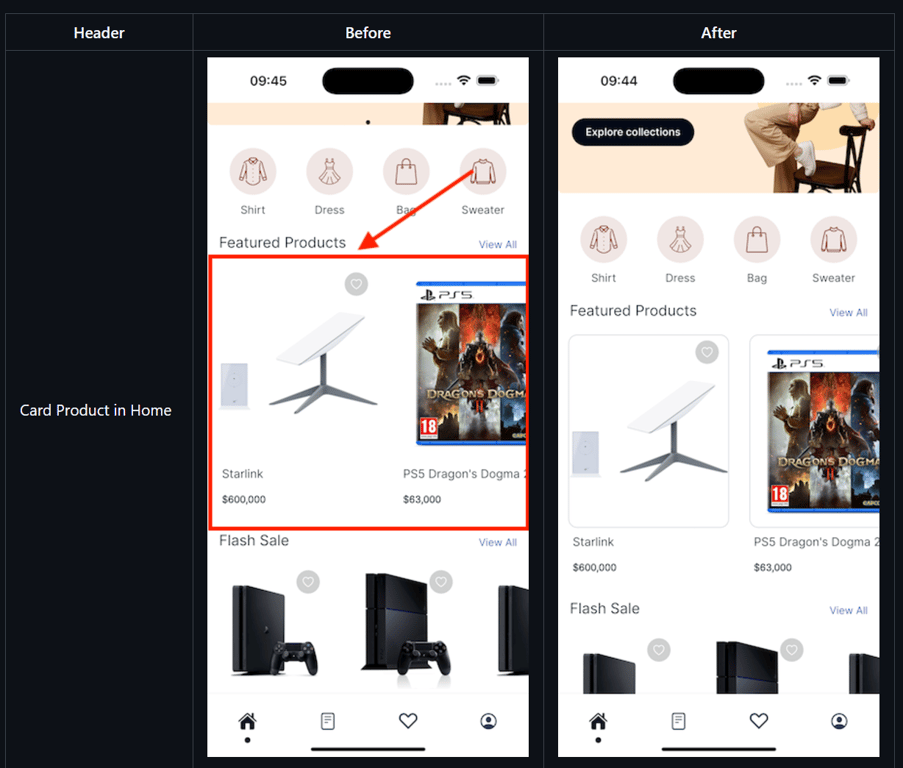
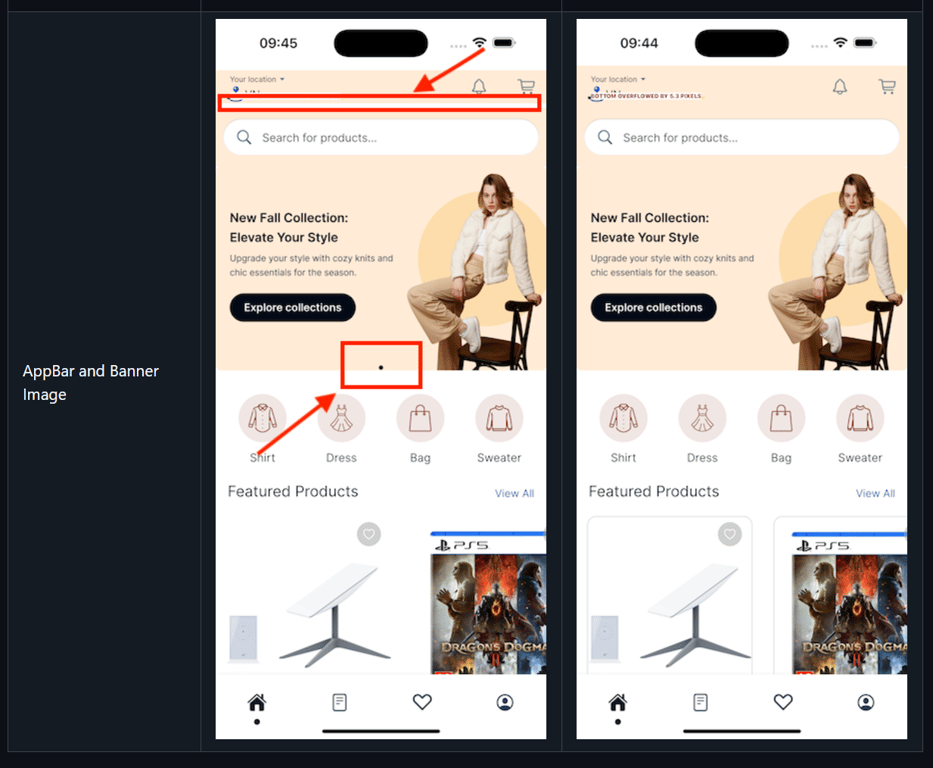
(3) Show/Hide Indicator for Banner Items ✨

  • Add an optional dot indicator for banners on Home screen via showIndicator config β€” now fully customizable.
  • Demo Screenshot
  • notion image
Configuration
Open lib/config/config_en.json, add showIndicator into banner config
{
    "showIndicator": false
}

(4) Smart Banner (PopUp): Allow Tap Outside To Close βœ‹

  • Make popups feel more natural! Users can now simply tap outside the banner to close it. Smooth, intuitive UX unlocked.
Configuration
Edit the lib/config/config_en.json
"SmartEngagementBanner": {
      "popup": {
        "allowTapOutsideToClose": true, // Default: false
        "iconSize": 36,
      },
    }

(5) Branchio: Add android deepview control parameter to dynamic link πŸ”—

  • Enhance deep linking on Android with new deepview parameter support for better navigation.
  • Demo Video
 

(6) Product Title Text Scaling and Height Calculation πŸ” 

  • Better UI consistency with automatic scaling and height adjustment for product titles.
  • The feature is available on the app without configuration.
  • Demo Screenshot
  • notion image

(7) Account role based access for webview option πŸ”

  • Show content only to the right users β€” automatically! With the new role-based webview access, you can control who sees what on webview page based on their login status and user role.
Configuration
Open lib/config/config_en.json file, after set true for requiredLogin, add the corresponding role as below:
{
    "requiredLogin": true,
    "roles": []  //"customer", "administrator", "vendor",....
}

(8) Show/Hide Category Image Menu option in Listing πŸ–ΌοΈ

  • Want category images or just text? Flip the value in config and instantly change your menu style β€” visual or minimalist.
  • Demo Screenshot
  • notion image
Configuration
Edit the lib/env.dart file as below:
"advanceConfig": {
      /// false: show category menu as Text https://tppr.me/v3bLI
      /// true: show as Category Image
      "categoryImageMenu": true,
  }

(9) Open image gallery in Listing πŸ”„

  • Tap on images in the listing detail page to view them in a full image gallery modal.
  • Demo Video
 

(10) Listing Merge Dokan 🀝

  • Unified and optimized support for Dokan in the Listing layout for smoother vendor integration.
  • More features are added to the Listing app to support Dokan products.
  • Demo Screenshots
  • notion image
    notion image
    notion image
    notion image
    notion image

IMPORTANT UPDATE
IMPORTANT UPDATE
  • πŸ’¦ Fix iOS build issue with FBSDKLoginKit
  • 🌟 Handle decimal hours in UTC timezone offset
  • πŸ†™ Update Khmer translation
  • βŒ› Support firebase analytics consent mode v2
  • πŸ”°(CartButtonWithQuantity): enhance animation and ui 
  • πŸ”· Update status translation in SmartRefresher 

This release contains many fixes
  • Fixed (Android): build with name containing single quotation marks
  • Fixed (HTML): hide unsupport noscript tag
  • Fixed (ProductFutureBuilder): issue rendering on homepage when there are multiple future builder items
  • Fixed (Notification): issue push Firebase image notification on iOS
  • Fixed: heart icon still show even if disable
  • Fixed (RateMyApp): native dialog not working on anroid
  • Fixed (AppBar): navigator to current tab and open side menu
  • Fixed: build ios due to FBSDKLoginKit upgrade
  • Fixed (StaticSite): dupplicate app bar
  • Fixed (aboutUs): pageId not working and open Envato link
  • Fixed (Facebook): support limited login in ios
  • Fixed: webview_flutter can't scrolling when alwaysShowTabBar and ZoomStyle are enabled
  • Fixed (RealtimeChat): chat UI in RTL
  • Fixed (RealtimeChat): cannot show list chat for admin to customer
  • Fixed: improve notification badge icon click behavior
  • Fixed (ColorConverter): covert color to hex string
  • Fixed (SliderListWidget): add more run space
  • Fixed: escape string some where
  • Fixed (CategoryScreen): Home page image reload issue when using SideMenuSubCategories
  • Fixed: correct opening hours display logic
  • Fixed: inconsistent menu images
  • Fixed: store opening status
  • Fixed (VerticalLayout): "Loading" text always display on List/ Column layout if there are fewer than 9 products
  • Fixed: cannot get woo product if not throw 'Not Found' exception
 
How to update/migrate the app to the latest version?
 
How to activate FluxStore on FluxBuilder tool?


v5.2.0

March 3rd, 2025
 
Last updated: March 3rd, 2025 - Link Purchase | Download
 NEW FEATURE
NEW FEATURE

(1) Flutter 3.29.x Upgrade πŸ”₯

Upgrade latest Flutter channel stable v3.29.x
To make sure you are using the correct Flutter version, run this command:
flutter --version
To upgrade Flutter 3.29.x, please close all your IDE and run these commands in the project folder
flutter channel stable
flutter upgrade --force
flutter clean
flutter pub get
 
To update/migrate the app to the latest version ☘️
 
To fix build issue with new flutter version
After upgrading, you may meet the cache issue of iOS while building the application, please run this command to fix:
flutter precache --ios
 

(2) Support padding and align for indicator and number ✨

Added support for custom padding and alignment to improve UI flexibility of the banner’s indicator.
Demo Screenshot
notion image
Configuration
Edit the lib/config/config_en.json as below:
{
    "HorizonLayout": [
        {
            "layout": "bannerImage",
            "isSlider": true,
            ...
            "indicatorPadding": {
                "bottom": 12,
                "start": 30
            },
            "alignmentNumber": {
                "value": "topEnd" // topStart, topCenter, topEnd, centerStart, centerCenter, centerEnd, bottomStart, bottomCenter, bottomEnd
            }
            "indicatorAlignment": {
              "value": "topCenter" // topStart, topCenter, topEnd, centerStart, centerCenter, centerEnd, bottomStart, bottomCenter, bottomEnd
            },
            ...

        },
        ...
    ],
    ...
}
 

(3) New Tab Menu Category 🌸

Easily navigate product categories with our refreshed tab-style menu! This clean and modern UI helps users browse by category faster and more intuitively β€” perfect for improving shopping experience and boosting engagement.
Configuration
Edit the file lib/config/config_en.json as below:
"productCategoryMenuStyle": "tab”
 

(4) Blog Service πŸ›‘οΈ

Certain frameworks now support both their native blog system and WordPress blogs (including Shopify, Notion, and BigCommerce).
Other frameworks will support WordPress blogs only.
 

(5) Display images in notifications on iOS πŸ‘‘

FluxStore now supports displaying notification's image in the device's notification board.
Demo Screenshot
notion image

(66) Support Telugu language βŒ›

Expanded localization with Telugu language support.

 
IMPORTANT UPDATE
IMPORTANT UPDATE
  • πŸ”† DeepLink: fixed issue when using third-party plugins to handle deep links
  • πŸ’₯ Enhancing permission request flow for better user experience
  • ✨ Allow Regular users to configure PhonePe payment on their app
  • πŸ’¦ Hotfix (HomeCache): home cache was cached with HTTP cache
  • 🎨 (Menu Category): upgrade workflow when open category and support tab menu category
  • 🧨 Improve (MyCart): show point input when show keyboard in my cart
  • 🌟 Add missing SimpleList layout in Filter
  • ⬆️ Support overnight hours for listings
  • βŒ› Override systemNavigationBarColor
  • πŸ”° Improve (TabBarCustom): support change background color when show floating
  • 🌈 Support shipping methods for listing merge single vendor
  • β˜‘οΈ Show video buttons in Listeo merge Dokan
  • ▢️ Support search product using Get method in Ajax Search Pro
  • πŸ”· Update notification permission flow
  • 🌐 Support Multi Languages in TimeAgo
  • πŸ’« Missing review data in ListingPro theme
 

This release contains many fixes
  • Fixed (ProductPrice): issue not found priceData when render ProductPrice (FluxStore Web)
  • Fixed: padding between flag and language name - popup onboarding
  • Fixed (NotionCheckout): wrong order status and order total value
  • Fixed (VideoShopping): not fetch correct video language
  • Fixed: comment review in ListingPro theme
  • Fixed (MapParent): convert category to root when the parent is not set
  • Fixed: show shipping fee for order details opencart
  • Fixed: issues related filter bottom sheet
  • Fixed (Digits): show wrong error message if phone is not exist
  • Fixed (Webview): Crash when opening webview on iOS
  • Fixed: booking calender color and addons alignment
  • Fixed (SelectionQuantity): issue changing value without supporting quantity Step
  • Fixed: Remove unused SafeArea widget
  • Fixed (AppTracking): Because on iOS 18 there is an issue where permission popups conflict
 
How to update/migrate the app to the latest version?
 
How to activate FluxStore on FluxBuilder tool?


v5.1.0

Last updated: 8th January, 2025 - Link Purchase | Download
πŸ’‘
NEW FEATURE

(1) Enhanced the App's Overall Performance and Speed πŸ’₯

Get ready to experience a turbocharged app! Our latest update brings significant enhancements to the overall performance and speed of your app, ensuring smoother navigation and lightning-fast response times. Say goodbye to lag and hello to seamless interactions!
 

(2) Upgrade Android Gradle Plugin βš’οΈ

  • Android Gradle Plugin: 8.10
  • Android JDK 21
  • Java vesion 8
 
πŸ’‘
IMPORTANT UPDATE
  • πŸš€ Compatible with Flutter v3.27
  • Enhance (Menu List): enhance layout and styling options
  • Refactor: color app map
  • Animated Stack Container: AnimatedConfigPercentSizedBox support nullable value

This release contains many fixes
  • Fixed performance issues on the whole app
  • Fixed all language by AI
  • Fixed (Home Cache): check data can be a list instead of a map
  • Fixed (privacy): show appbar unexpectedly
  • Fixed escape category name
  • Fixed (Auto Slide): not auto slide product list 
  • Fixed (Image Resize): support image is not url
How to update/migrate the app to the latest version?
 
How to activate FluxStore on FluxBuilder tool?
 
 
πŸ’‘
FREE DRAG & DROP APP BUILDER
  • Download | Document Guide
  • FluxStore apps provide the full source code, allowing you to customize everything.
  • Special gifts when using the FluxStore or FluxNews app πŸŽ‰
    1. Free FluxBuilder tool to edit your app's UI easily with drag&drop Lifetime.
    2. Free update your app's UI without republishing it to App Stores or Google Play Store.
    3. Free translation service for your local language.
  • FluxStore apps provide the full source code, allowing you to customize everything.
  • Video Demo:
 

v5.0

Last updated: 28 November, 2024 - Link Purchase | Download
πŸ’‘
NEW FEATURE

(1) Animated Stack Banner πŸ”₯

FluxStore aims to focus more on animated stack containers for items on the app.
With smooth transition effects and vibrant visuals, the banner now not only looks great but also improves navigation and accessibility.
Video Demo
 
This enhancement integrates seamlessly with the enhanced Drag and Drop Editor 2.0 in FluxBuilder, providing advanced capabilities for layout customization and animation implementation.
notion image
 

(2) New UI for Tabbar 🎨

  • Tabbar Floating Config
  • notion image
    notion image
 
  • Support indicator in full size of the tab in Bottom Tabbar
  • notion image
 

(3) New Fantastic Layouts on Home Page πŸ†

  • New Blog/Product Banner Slider style
  • notion image
 
  • Support Gradient Style for Image Category
  • notion image
     
  • New Menu List Layout for Dynamic Layout
  • notion image
 
  • Add Header View and Date Time Countdown
    • Add Header View for Category item on Home page
    notion image
    • Date Time Countdown
    notion image
 
  • New Carousel View Flutter 3.24.0
  •  
  • List Card Layout
  • A new layout for the Home screen is now available in FluxStore Apps starting from version 5.0.0.
    This layout features: a title, subtitle, action button, tags, and image. The button can be used to navigate to other screens, products, blogs, tabs, and more.
    There are now 2 main styles for the layout: "titleHeading" and "subtitleHeading”.
    The items can be displayed in either a vertical or horizontal arrangement.
    • Vertical layout
    notion image
    • Horizontal layout
    notion image
     

(4) Firebase and BranchIO dynamic links ⚑

Firebase and BranchIO dynamic links can now operate simultaneously, providing improved flexibility for linking and sharing across your applications.
 

(5) New Wishlist Staggered Style ✨

Introduced a new staggered layout for the wishlist, enhancing the user experience with a fresh and modern design.
 

(6) Custom Smart Chat icon πŸŽ‰

Users can now customize the Smart Chat icon, allowing for a more personalized touch to the chat interface.
Screenshot Demo
notion image
 

(7) Share Product Data 🎈

Users can now easily share product data with others, including the product’s descriptions and images, promoting products through social media and other platforms.
Screenshot Demo
notion image
notion image
 

(8) Add Product Detail Gallery Slider Layout for Product Detail Page ⚜️

Introduce a new gallery slider layout for the product detail page. Users can now view detailed images in a visually appealing format.
Video Demo:


πŸ’‘
IMPORTANT UPDATE
  • πŸ’₯ Support to select parent location in filter
  • πŸ’« Product List Layout in Search screen supports Html Title
  • πŸ”† Upgrade (FirebaseLibrary): firebase_core to version 3.6.0 and other related firebase libraries
  • πŸ”° Remove wechat_assets_picker & photo_manager
  • 🌐 Support Firebase for web platform
  • πŸ”Ά Add text font and text size for banner items
  • πŸ’₯ Support TikTok social network
  • πŸŽ€ Detailed Blog layout support rendering Video
  • πŸ’  Update Menu Service UI when booking
  • ♻️ Support to show all fields in listing detail for my listing
  • πŸ₯‡ Chore(deps): upgrade salesiq_mobilisten lib
  • 〽️Refactor (handle Web Link): pop to root before loading and hide loading after fetching data
  • πŸ—οΈ Refactor (Search Screen)!: Remove old search UI for easy maintenance and more flexible UI
  • πŸ’• Support icon material and cupertino for Animated Stack Container
  • πŸ’’ Refactor (HeaderView): remove verticalMargin and horizontalMargin
πŸ’― Improve UI: appbar, banner image, and product card on the home page
  • Support change border for product card in home page
notion image
  • Improve appbar when use background color
  • Improve Banner Image: hide the indicator if the number of image is less than 2.
notion image

This release contains many fixes
  • Fixed (cache): http cache is not working properly
  • Fixed (AppStore): update message when accessing photo library
  • Fixed: checkout support any variant option
  • Fixed: change language onboard screen
  • Fixed (Search): close keyboard after closing filter
  • Fixed (profile): update empty field when updating profile
  • Fixed (AppStore): remove the decline button when accessing device’s camera 
  • Fixed (Build): cannot build apk file with zoho.salesiq
  • Fixed (AppModel): init app with unsupported language
  • Fixed (ApplePay): missing import showFluxDialogText
  • Fixed (Filter): cannot fetch attribute terms
  • Fixed (Filter): re-init filter if allowGetDatasByCategoryFilter is updated
  • Fixed (CategoryScreen): issue when open screen but not found category layout
  • Fixed: Forward/Backward icon does not display
  • Fixed (SmartChat): chatGPT still show if disabled
How to update/migrate the app to the latest version?
 
How to activate FluxStore on FluxBuilder tool?
 
 
πŸ’‘
FREE DRAG & DROP APP BUILDER
  • Download | Document Guide
  • FluxStore apps provide the full source code, allowing you to customize everything.
  • Special gifts when using the FluxStore or FluxNews app πŸŽ‰
    1. Free FluxBuilder tool to edit your app's UI easily with drag&drop Lifetime.
    2. Free update your app's UI without republishing it to App Stores or Google Play Store.
    3. Free translation service for your local language.
  • FluxStore apps provide the full source code, allowing you to customize everything.
  • Video Demo:

v4.3.0

Last updated: 27 September, 2024 - Download


Archived changelogs

Earlier releases

13 more releases shipped before v4.3.0. They are part of the same lifetime-update license.

  • v4.2.0
  • v4.1.1
  • v4.1.0
  • v4.0.0
  • v3.16.8
  • v3.16.0
  • v3.13.6
  • v3.13.0
  • v3.10.5
  • v3.10.0
  • v3.8.0
  • v3.7.0
  • v3.4.0