FluxStore 5.0.0 focuses on Animated banners, new home layouts, and Dynamic Links. The release notes below preserve the official feature details, configuration examples, and fixes published by InspireUI.
Released November 28, 2024. View the official FluxStore WooCommerce changelog.
NEW FEATURE
Animated Stack Banner
FluxStore aims to focus more on animated stack containers for items on the app.
With smooth transition effects and vibrant visuals, the banner now not only looks great but also improves navigation and accessibility.
Video Demo
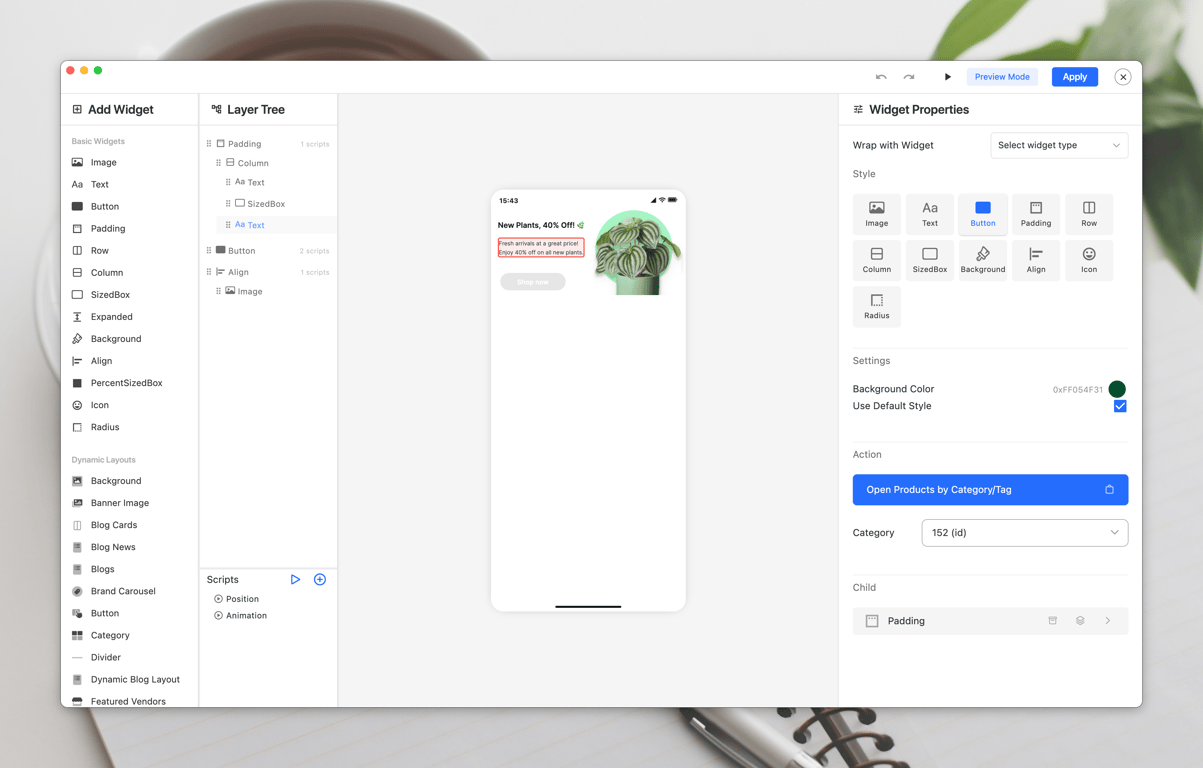
This enhancement integrates seamlessly with the enhanced Drag and Drop Editor 2.0 in FluxBuilder, providing advanced capabilities for layout customization and animation implementation.
New UI for Tabbar
- Tabbar Floating Config

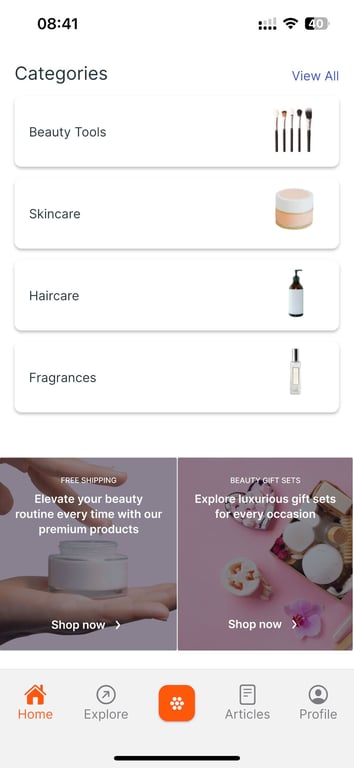
- Support indicator in full size of the tab in Bottom Tabbar

New Fantastic Layouts on Home Page
- New Blog/Product Banner Slider style
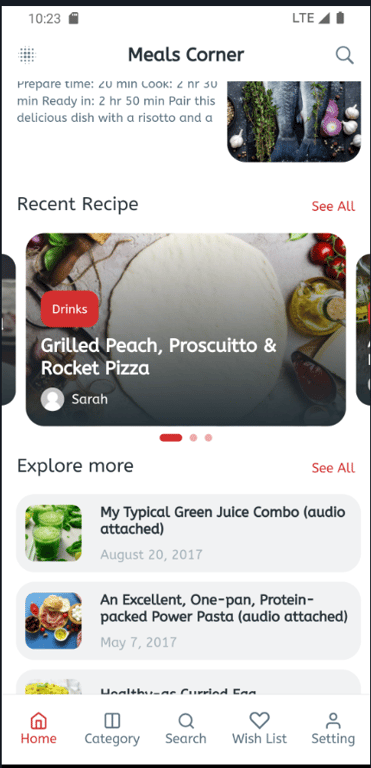
- Support Gradient Style for Image Category
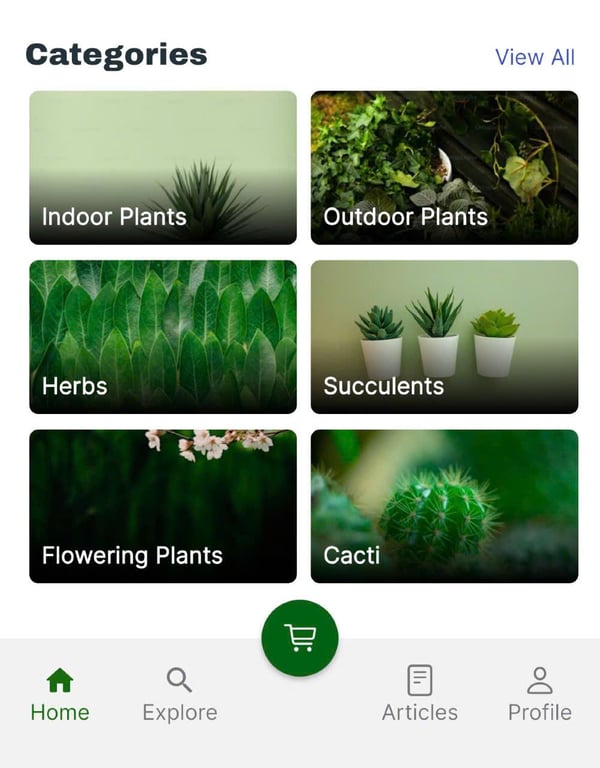
- New Menu List Layout for Dynamic Layout
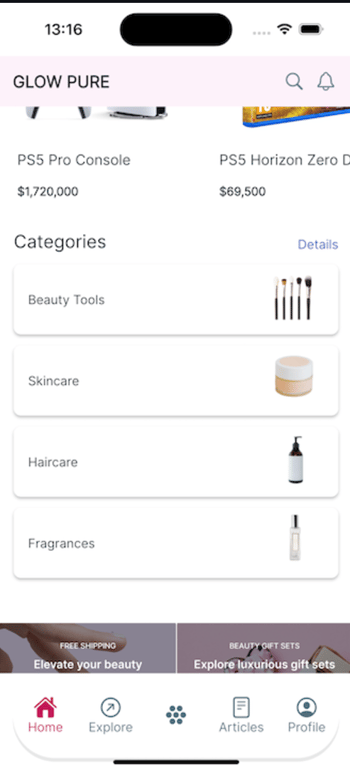
Add Header View and Date Time Countdown
Add Header View for Category item on Home page
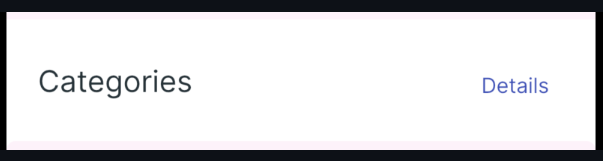
- Date Time Countdown
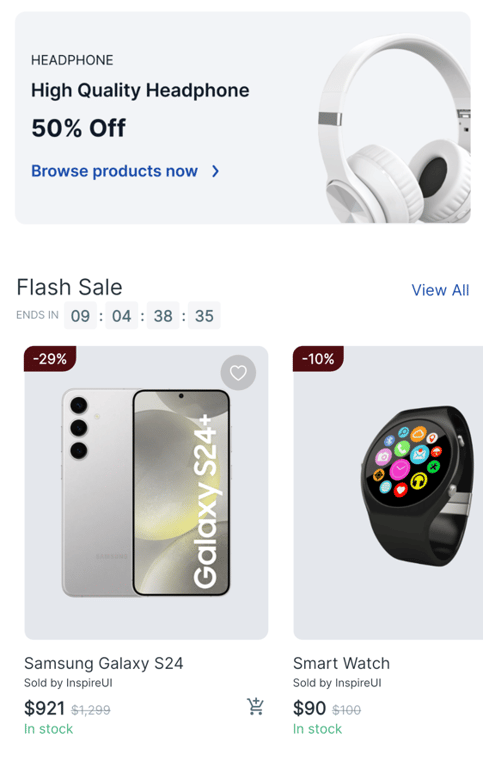
New Carousel View Flutter 3.24.0
List Card Layout
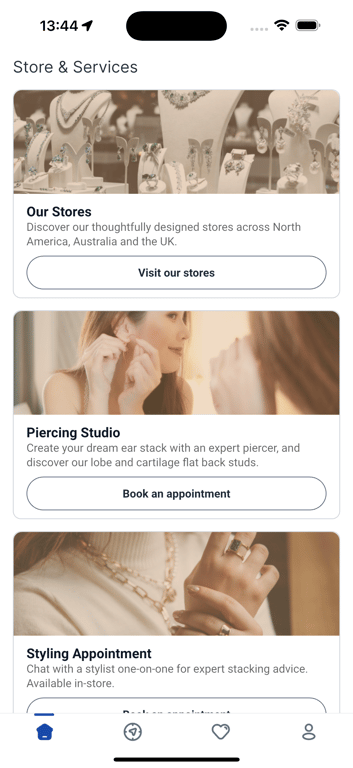
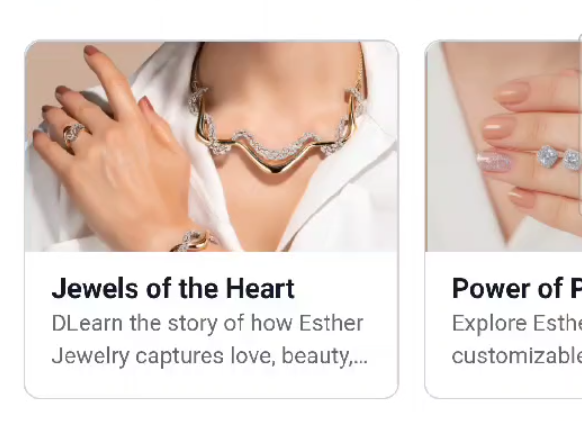
A new layout for the Home screen is now available in FluxStore Apps starting from version 5.0.0. This layout features: a title, subtitle, action button, tags, and image. The button can be used to navigate to other screens, products, blogs, tabs, and more. There are now 2 main styles for the layout: "titleHeading" and "subtitleHeading”.
The items can be displayed in either a vertical or horizontal arrangement.
- Vertical layout
- Horizontal layout
Firebase and BranchIO dynamic links
Firebase and BranchIO dynamic links can now operate simultaneously, providing improved flexibility for linking and sharing across your applications.

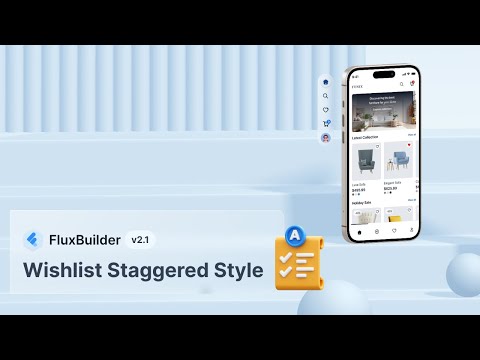
New Wishlist Staggered Style
Introduced a new staggered layout for the wishlist, enhancing the user experience with a fresh and modern design.
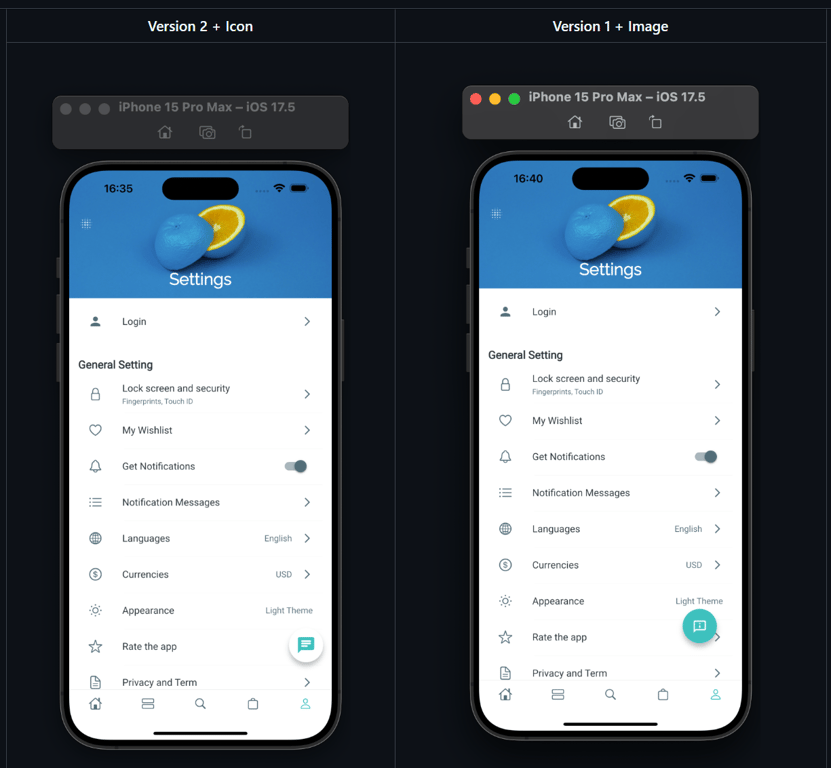
Custom Smart Chat icon
Users can now customize the Smart Chat icon, allowing for a more personalized touch to the chat interface.
Screenshot Demo
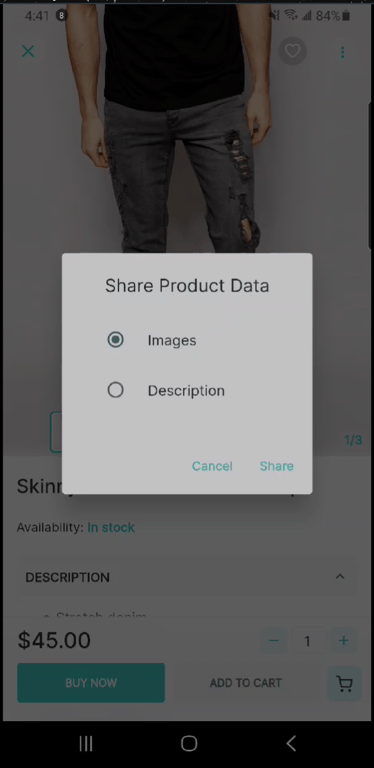
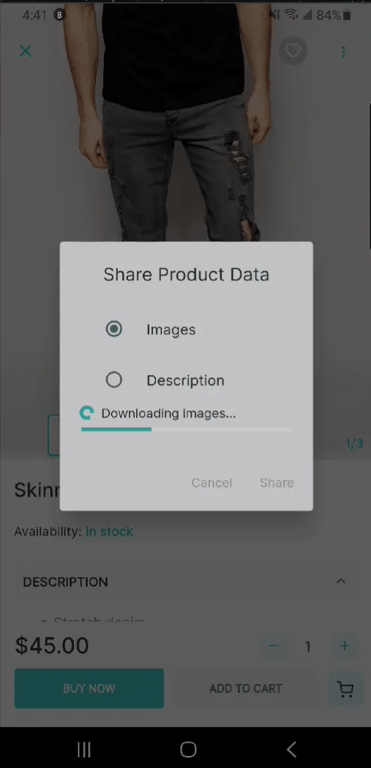
Share Product Data
Users can now easily share product data with others, including the product’s descriptions and images, promoting products through social media and other platforms.
Screenshot Demo
My Rating Screen
Introduced a new "My Rating" section on the Profile screen, allowing users to directly and quickly provide and view their ratings for products

Show/Hide Size Guide on the Product Detail screen
Users now have the option to show or hide the size guide button and information on the product detail screen, offering a more personalized shopping experience.
Screenshot Demo

Add Product Detail Gallery Slider Layout for Product Detail Page
Introduce a new gallery slider layout for the product detail page. Users can now view detailed images in a visually appealing format.
Video Demo:
IMPORTANT UPDATE
- Important: If you have upgrade to the Android Studio Ladybug or using JDK 17, please follow this guide
- Update Variation Swatches
- Open the cart screen when booking products
- Support to select parent location in filter
- Product List Layout in Search screen supports Html Title
- Upgrade (FirebaseLibrary): firebase_core to version 3.6.0 and other related firebase libraries
- Remove wechat_assets_picker & photo_manager
- Support Firebase for web platform
- Add text font and text size for banner items
- Detailed Blog layout support rendering Video
- Chore(deps): upgrade salesiq_mobilisten lib
- 〽Refactor (handle Web Link): pop to root before loading and hide loading after fetching data
- Refactor (Search Screen)!: Remove old search UI for easy maintenance and more flexible UI
- Support icon material and cupertino for Animated Stack Container
- Refactor (HeaderView): remove verticalMargin and horizontalMargin
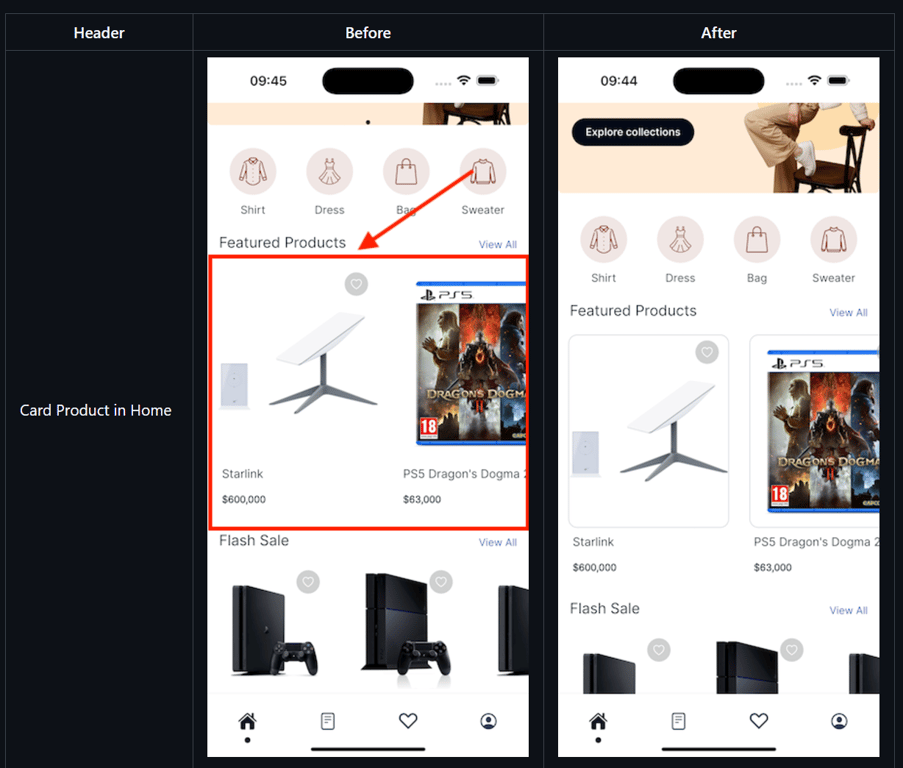
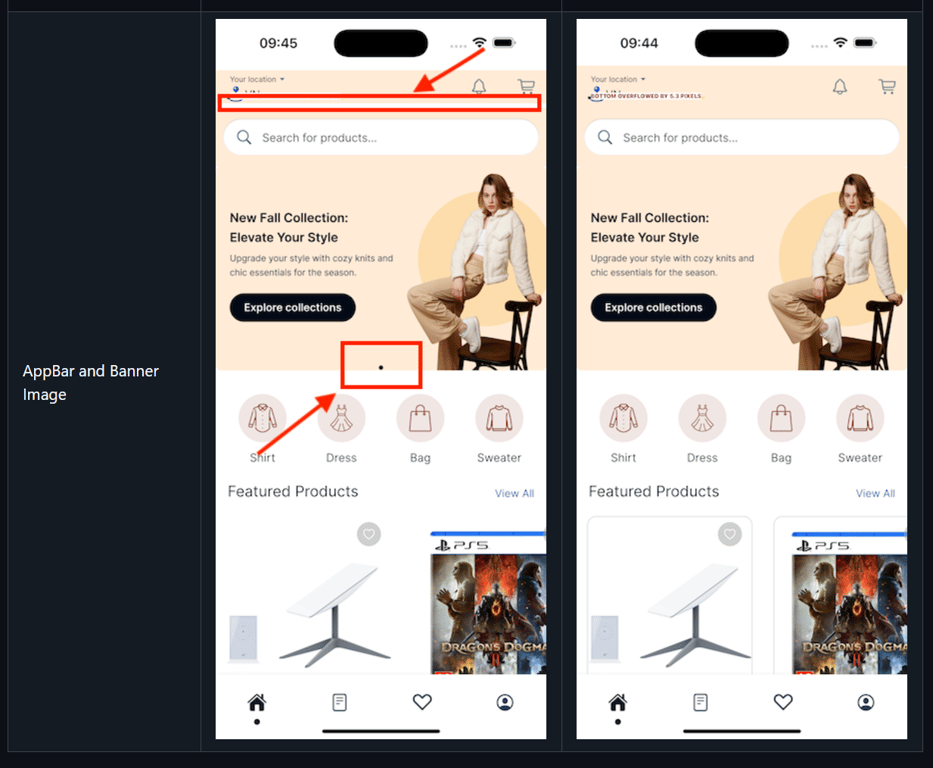
Improve UI: appbar, banner image, and product card on the home page
- Support change border for product card in home page
- Improve appbar when use background color
- Improve Banner Image: hide the indicator if the number of image is less than 2.
This release contains many fixes
- Fixed (cache): http cache is not working properly
- Fixed (AppStore): update message when accessing photo library
- Fixed (Woocommerce): handle product permalink with language code
- Fixed: brands issue
- Fixed: checkout support any variant option
- Fixed: change language onboard screen
- Fixed (sale Price): missing in FlatStyle product layout and hide when B2BKing is enabled
- Fixed: add booking product when list staff is empty
- Fixed (Wishlist): show remove button instead of delete
- Fixed: The Card Discount item still display after removing the applied point
- Fixed (myPoint): display point 4 numbers correctly
- Fixed (Search): close keyboard after closing filter
- Fixed (profile): update empty field when updating profile
- Fixed (ProductVariations): alway auto select first variant
- Fixed (AppStore): remove the decline button when accessing device’s camera
- Fixed (MyRating): enable autoInitData for list purchased product
- Fixed (Cart): showing variant color in cart with custom ProductColors name and force check null
- Fixed: max quantity product config
- Fixed: can't hide showQRCode on home search screen
- Fixed: min quantity when selecting attribute
- Fixed (Build): cannot build apk file with zoho.salesiq
- Fixed (AppModel): init app with unsupported language
- Fixed: limit max quantity of products
- Fixed (ProductVariation): auto-select attribute of invalid variant
- Fixed (Checkout): cannot handle url change for webview flutter
- Fixed (Webview): not determine location on Google Maps
- Fixed (Webview): crash app when launch special urls
- Fixed (ApplePay): missing import showFluxDialogText
- Fixed (Filter): cannot fetch attribute terms
- Fixed (Filter): re-init filter if allowGetDatasByCategoryFilter is updated
- Fixed (CategoryScreen): issue when open screen but not found category layout
- Fixed: invalid currency symbol for addons product
- Fixed: Forward/Backward icon does not display
- Fixed (SmartChat): chatGPT still show if disabled
- Fixed: missing excluded products for boost query
How to update/migrate the app to the latest version?
- Follow this “Upgrade source code and Flutter” guide.
- Input your purchase code to
configs/env.propsfile (if not input, the app will crash):

How to activate FluxStore on FluxBuilder tool?
- Follow this guide:
[support.inspireui.com
https://support.inspireui.com/help-center/articles/42/47/124/upgrade-source-code-and-flutter](https://support.inspireui.com/help-center/articles/42/47/124/upgrade-source-code-and-flutter)
- Input your purchase code to
configs/env.propsfile (if not input, the app will crash):
FREE DRAG & DROP APP BUILDER
- Download | Document Guide
- FluxStore apps provide the full source code, allowing you to customize everything.
- Special gifts when using the FluxStore or FluxNews app
- Free FluxBuilder tool to edit your app's UI easily with drag&drop Lifetime.
- Free update your app's UI without republishing it to App Stores or Google Play Store.
- Free translation service for your local language.
- FluxStore apps provide the full source code, allowing you to customize everything.
- Video Demo: