FluxStore 4.2.0 focuses on Flutter 3.24, Branch.io, and realtime chat controls. The release notes below preserve the official feature details, configuration examples, and fixes published by InspireUI.
Released August 20, 2024. View the official FluxStore WooCommerce changelog.
NEW FEATURE
Flutter 3.24.x Upgrade
Upgrade latest Flutterchannel stable v3.24.x
To make sure you are using the correct Flutter version, run this command:
flutter --version
To upgrade Flutter 3.24.x , please close all your IDE and run these commands in the project folder
flutter channel stable
flutter upgrade --force
flutter clean
flutter pub get
To update/migrate the app to the latest version
- Follow this “Upgrade source code and Flutter” guide.
- Input your purchase code to
configs/env.propsfile (if not input, the app will crash):

- Helpful guide “How To Easily Upgrade Sourcecode To The Next Version”
To fix build issue with new flutter version
After upgrading, you may meet the cache issue of iOS while building the application, please run this command to fix:
flutter precache --ios
- To activate FluxStore on FluxBuilder tool ChartSort
Branch.io dynamic link service
- Integrated the Branch.io dynamic link service into the application
- Enhance the users’ experience
Onboarding Version 3
- Support displaying full-screen images on Onboarding
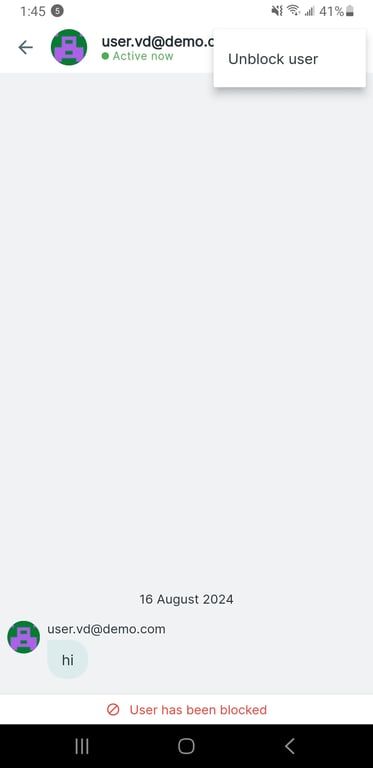
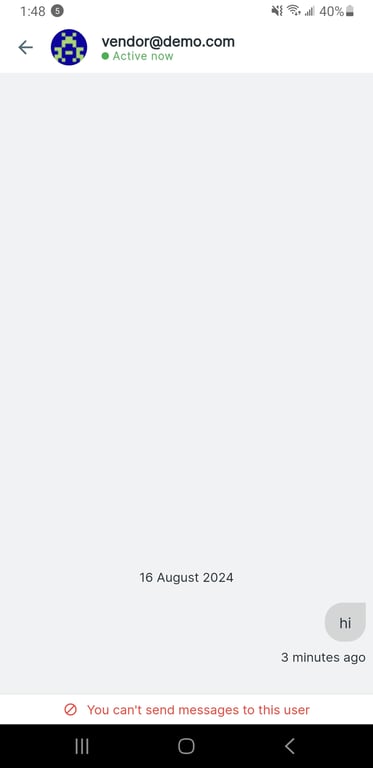
Realtime Chat: User block, Delete chat and Admin Access user chat
- Implemented real-time chat functionality with enhanced moderation features
- Users can now block other users to prevent unwanted interactions
Demo Screenshots
- Users have the ability to delete the entire chat threads
Demo Screenshot
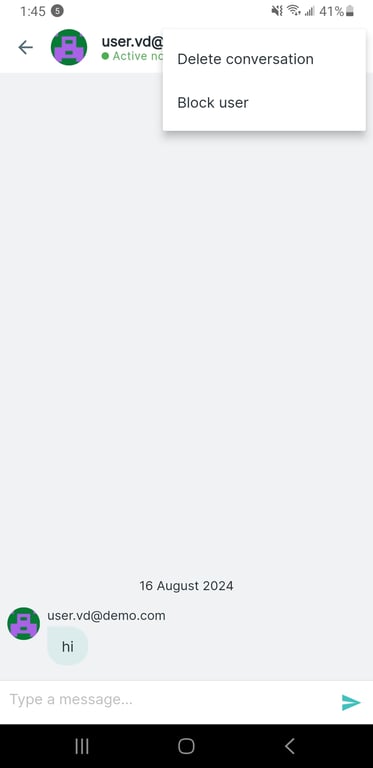
- Admins can also access and view the chat history of all vendors in the application
Sort Products in Random Type
- Implemented a new feature to allow users to sort products in a random order
- This provides a more engaging and diverse product discovery experience for users
Demo Video
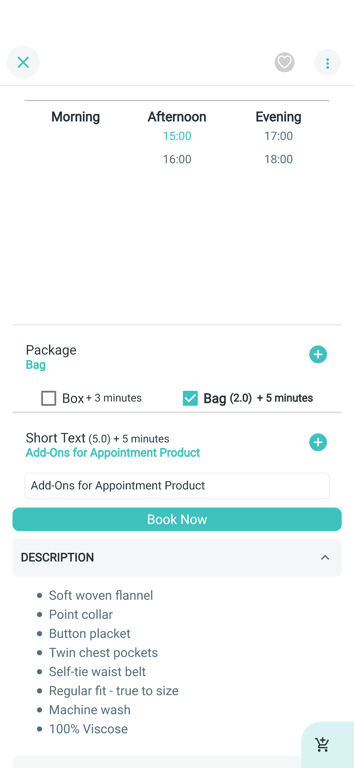
Support Add-Ons for Appointment Products
- Customers can now select and purchase additional services or features while booking
- Add-ons are displayed alongside the main appointment offering
Demo screenshot
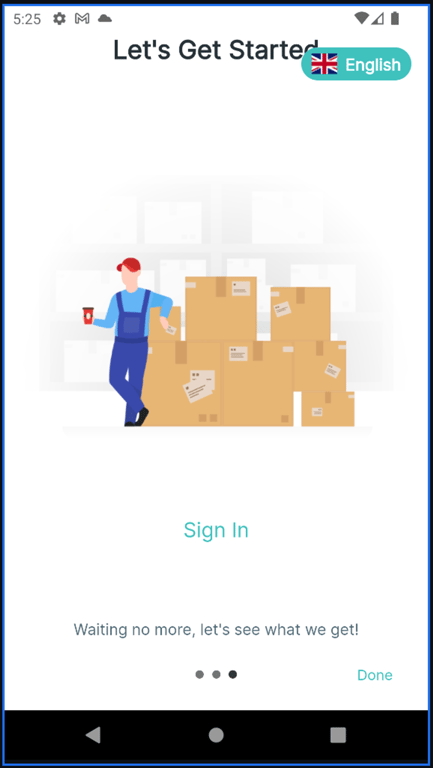
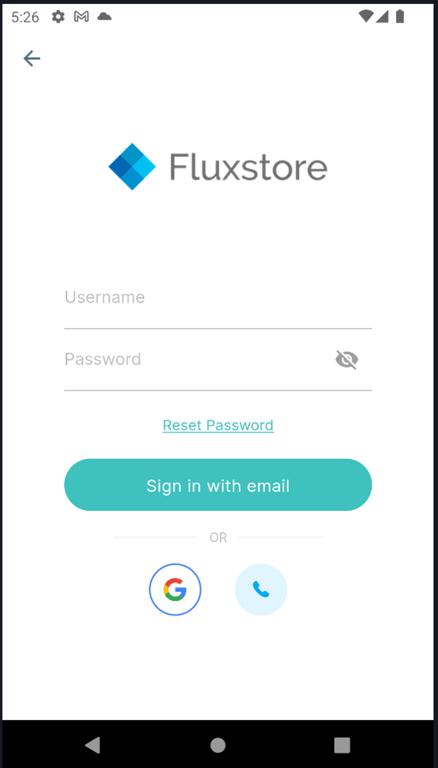
Disable Sign Up
- Implemented the ability to disable the sign-up functionality in the application
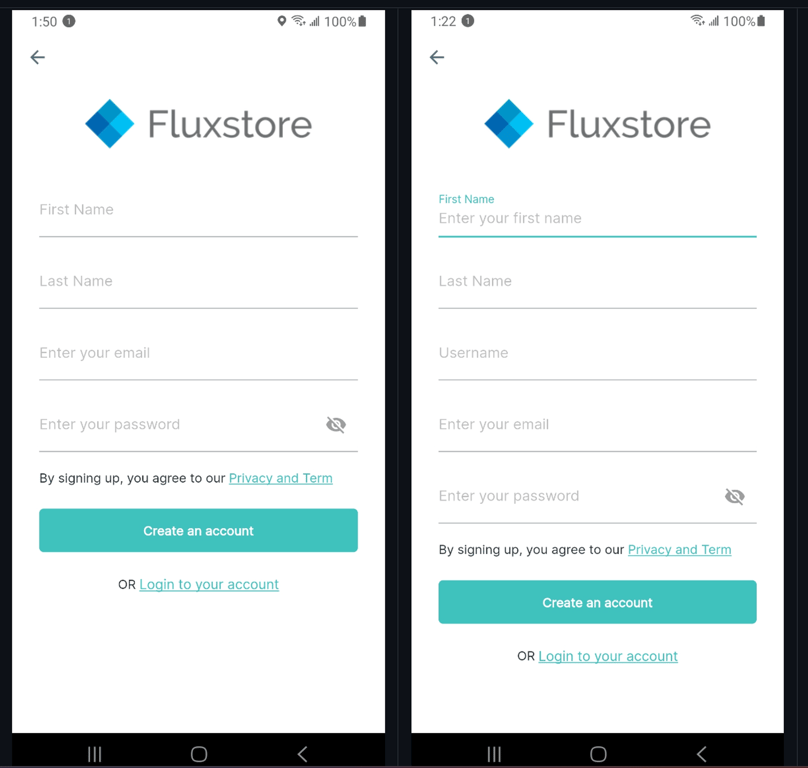
- Users can also disable Login config and Username TextField in Sign Up screen
Demo Screenshots
- Disable Sign Up
- Disable User Name on Sign Up screen
Enable All Data on Product Detail Screen
- The product detail screen now displays all available data about a product at once, without the need to wait for individual attributes to load
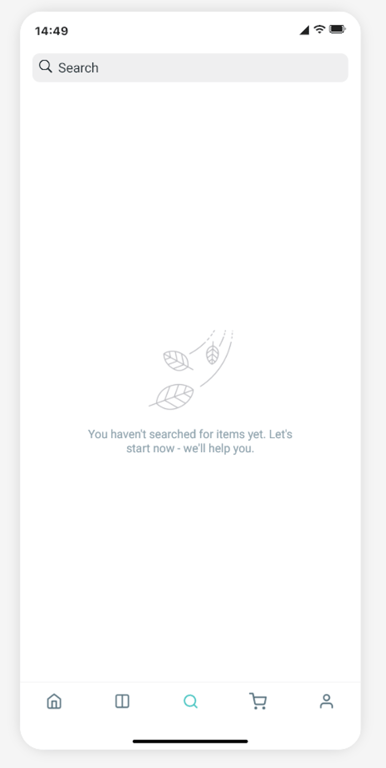
Hide QR code in search screen
- Ability to remove the QR code displaying from the Search screen
Demo Screenshot
FluxStore PWA support EnableOnePageCheckout
- Support OnePageCheckout checkout for Web PWA
- Ability to open a new web using launchUrl to checkout
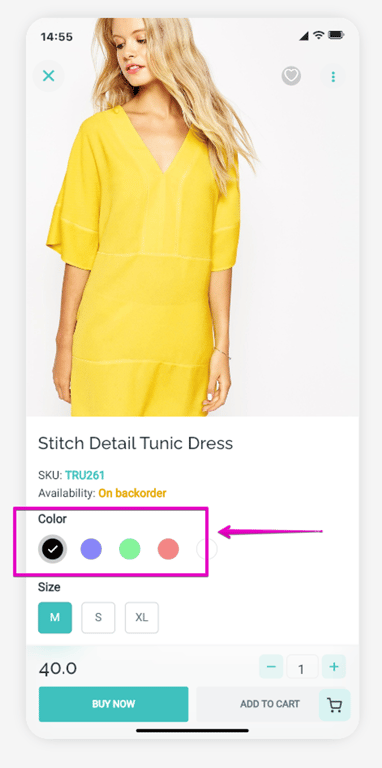
Override Color for Attribute Products
- Update the color attributes displaying on Product Detail screen directly from design config file of the application
Demo Screenshot
IMPORTANT UPDATE
- Support notification icon in configs folder to upgrade easily
- Update (ProductVariant): enhance logic to check in stock of product variation
- Update (ProductVariable): enhance auto select product variantion
- Update/vertical column with filter
- Update(translation): remove duplicate and fix grammar
- Update: notification icon
- Check for same-server origin before fetching blog data
- Update excludedCategoryIDs and excludedProductIDs option to support excluding category/product IDs
- Update (My Cart): get name attribute from product
- **** Add a border to the TextField on the User Update Info screen
- Support Multi Languages for Terra Wallet
- ▶ Support Multi Languages for Digits Mobile
- Support Multi Languages for Shipping Address Screen
This release contains many fixes
- Fixed: crash product filter
- Fixed: fontFamily not working in Widgets
- Fixed: crash firestore when empty email on ios release
- Fixed (productImageThumbnail): showing image for featured video
- Fixed (Analytics): Resolve Facebook Analytics purchased event null value
- Fixed: Firebase sms login fix security
- Fixed (Release): apple reject as location permission is irrelevant for delivery
- Fixed: (Translation): not override pt_PT translation
- Fixed: cannot get specific product
- Fixed: product cart UI issues
- Fixed (Blog): load wrong blog domain for boost engine
- Fixed (Padding): product horizontal in RTL
- Fixed (InAppWebview): still show app when set showAppBar to false
- Fixed (ProductVariant): fix issue map product variant and attribute
- Fixed: login after logout (deactivated widget's ancestor)
- Fixed: show correct product price in card and layout wholesale issue
- Fixed (MenuVerticalLayout): cannot sort categories
- Fixed (Blog): sort blog if use special blogs
- Fixed: text over flow of button in checkout screen
- Fixed: hide the keyboard after input text
- Fixed: show register message based on approval_required
- Fixed: Show Fail Message for DigitsMobileLogin
- Fixed: resend firebase sms
- Fixed: rename register endpoint and fix register api without posting phone params
- Fixed (TabBar): Resolve Always show tabbar does not work
- Fixed: remove boost for external blog URL
- Fixed (CheckoutPageSlug): no element exception
- Fixed (Search): search by SKU
- Fixed (FluxNavigate): check to use root navigator
- Fixed (Coupon): Error deleting coupon code when typing quickly on iOS keyboard
- Fixed (PointReward): update UI to be same as coupon
- Fixed: flutter 3.24.0 error when building release (attr/lStar not found)
- Fixed (UI): use safe area for bottom sheet add to cart and fix cart in flatStyle
- Fixed (ImagePicker): limit pick file type for image
- Fixed: update history order card
How to update/migrate the app to the latest version?
- Follow this “Upgrade source code and Flutter” guide.
- Input your purchase code to
configs/env.propsfile (if not input, the app will crash):
- Helpful guide “How To Easily Upgrade Sourcecode To The Next Version”
How to activate FluxStore on FluxBuilder tool?
- Follow this guide:
[support.inspireui.com
https://support.inspireui.com/help-center/articles/42/47/124/upgrade-source-code-and-flutter](https://support.inspireui.com/help-center/articles/42/47/124/upgrade-source-code-and-flutter)
- Input your purchase code to
configs/env.propsfile (if not input, the app will crash):