FluxStore 4.0.0 focuses on Flutter 3.19, PWA SEO, and B2B tools. The release notes below preserve the official feature details, configuration examples, and fixes published by InspireUI.
Released March 18, 2024. View the official FluxStore WooCommerce changelog.
NEW FEATURE
Flutter 3.19 Upgrade
Upgrade latest Flutterchannel stable v3.19.x
To make sure you are using the correct Flutter version, run this command:
flutter --version
To upgrade Flutter 3.19.x , please close all your IDE and run these commands in the project folder
flutter channel stable
flutter upgrade --force
flutter clean
flutter pub get
To update/migrate the app to the latest version
- Follow this guide:
[support.inspireui.com
https://support.inspireui.com/help-center/articles/42/47/124/upgrade-source-code-and-flutter](https://support.inspireui.com/help-center/articles/42/47/124/upgrade-source-code-and-flutter)
- Input your purchase code to
configs/env.propsfile (if not input, the app will crash):

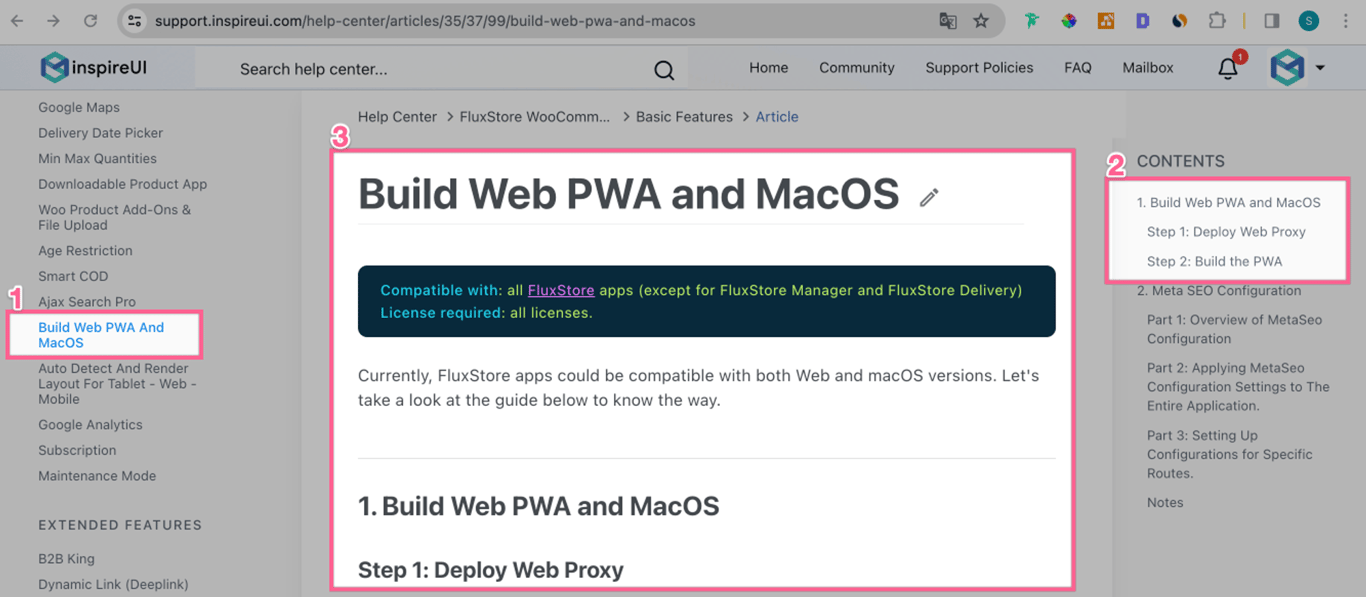
PWA & Meta SEO
- Improve the UI of FluxStore Web (PWA - Progressive Web Apps)
- Add Meta Seo support for Web with library https://pub.dev/packages/meta_seo
Guide

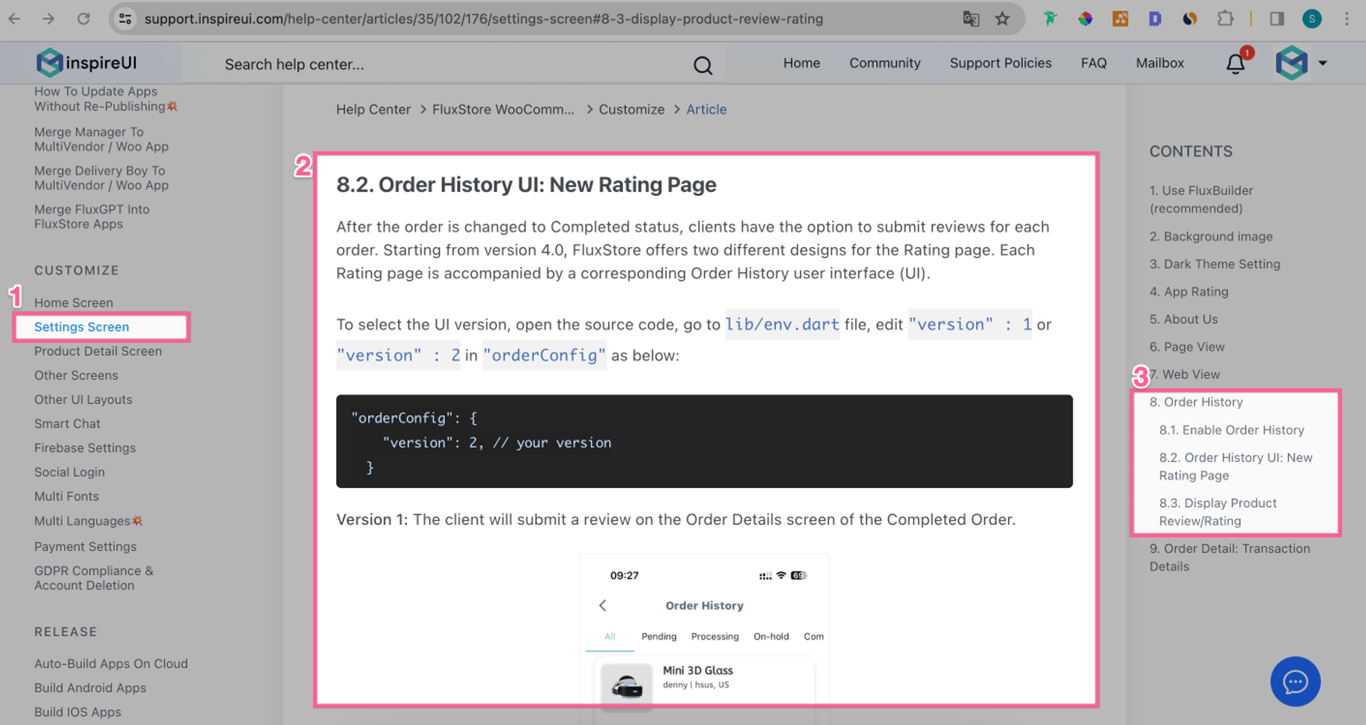
Rating page
- A new Product Rating page instead of showing it in the Order Details screen.
- If you want to upload images, use this Photo Reviews for WooCommerce plugin.
Guide
Demo Video

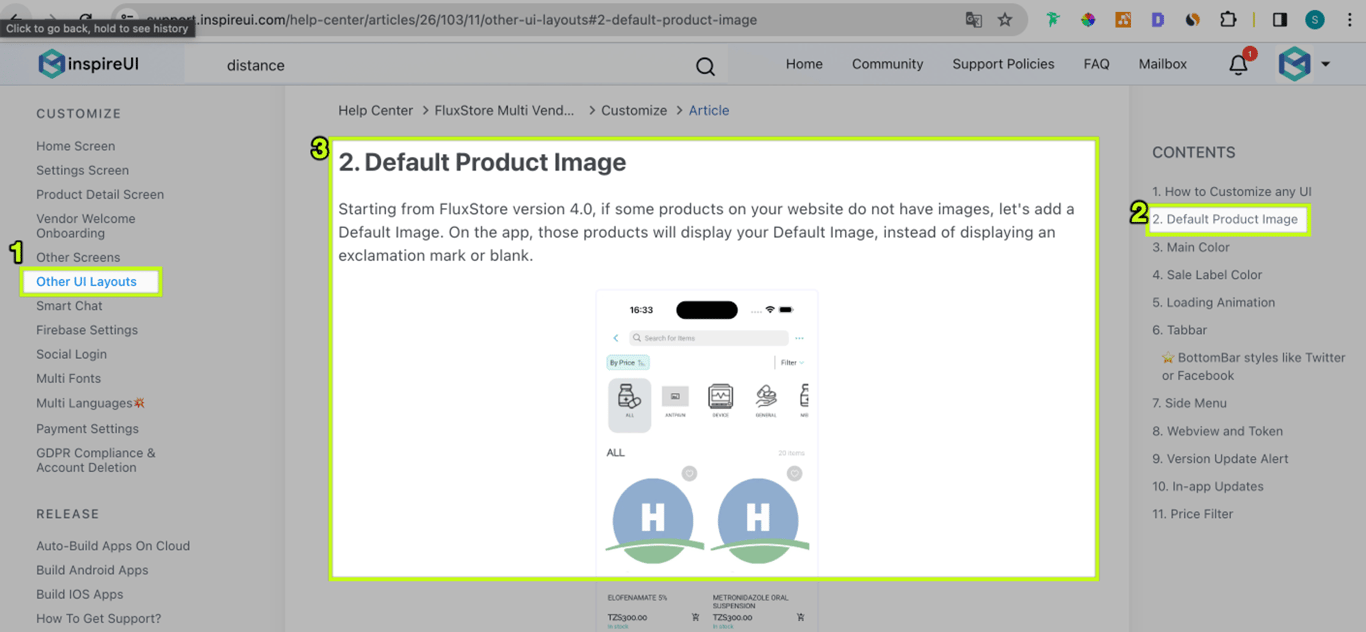
Default Product Image
- If some products on your website do not have images, let's add a Default Image. On the app, those products will display your Default Image, instead of displaying an exclamation mark or blank.
Guide
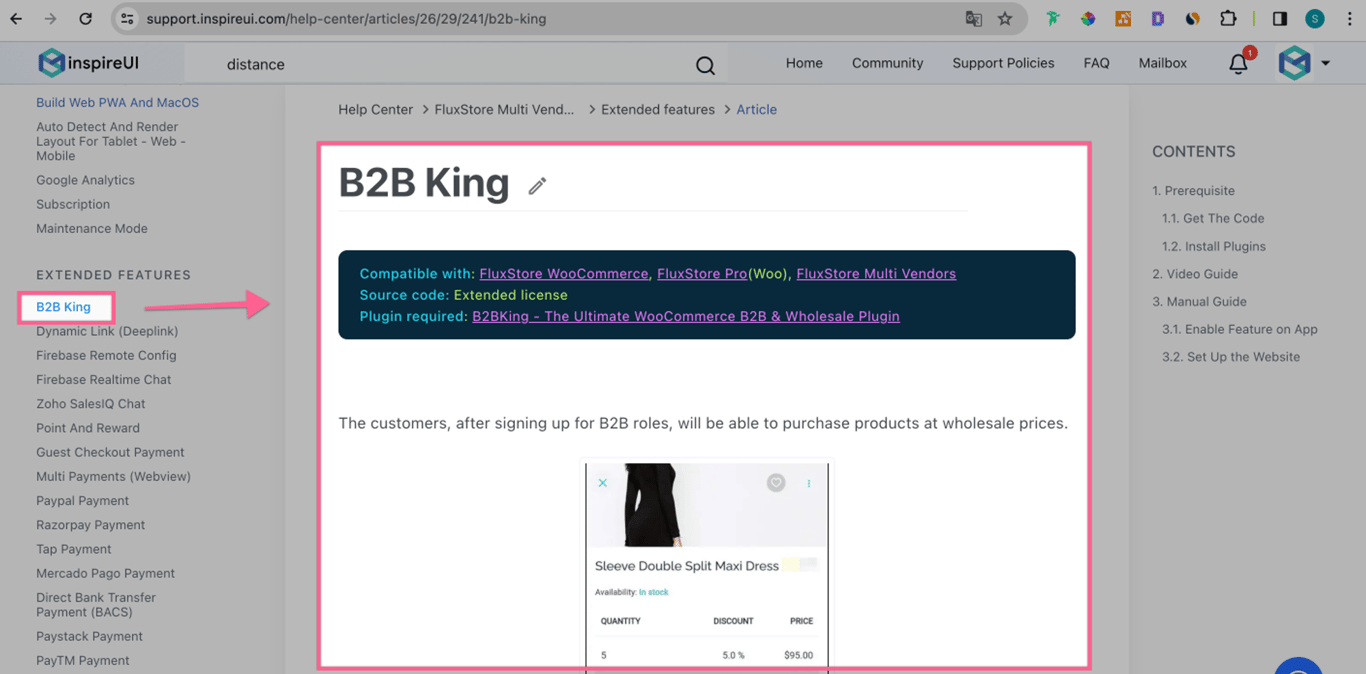
B2B King
- FluxStore supports B2B King - the WooCommerce B2B & Wholesale Plugin.
- Customers now can buy products at wholesale prices.
- Available with the extended license.
Guide
Demo Video

Thai PromptPay Payment
- Now Thai users can easily and quickly shop with Thailand's most popular payment methods.
- Plugin Woocommerce - Thai Promptpay Easy.
- Available with the extended license.
Arabia ExpressPay
- ExpressPay is certified by Saudi Payments.
- Process all online payments in a seamless way with one single platform, gaining access to all major online payment methods.
- Available with the extended license.
PW WooCommerce Gift Cards
- Support PW Gift Card product, similar to Amazon.com gift cards. You can be selling gift cards for your WooCommerce store.
- Card number will showing up when order completed.
- Plugin: PW WooCommerce Gift Cards
- Available with the extended license.
New Languages
- Support new Bulgaria and Sinhala languages.
- Thanks to our Customers who sent us the translation native language file
- Now FluxStore apps support more than 60 native languages.
IMPORTANT UPDATE
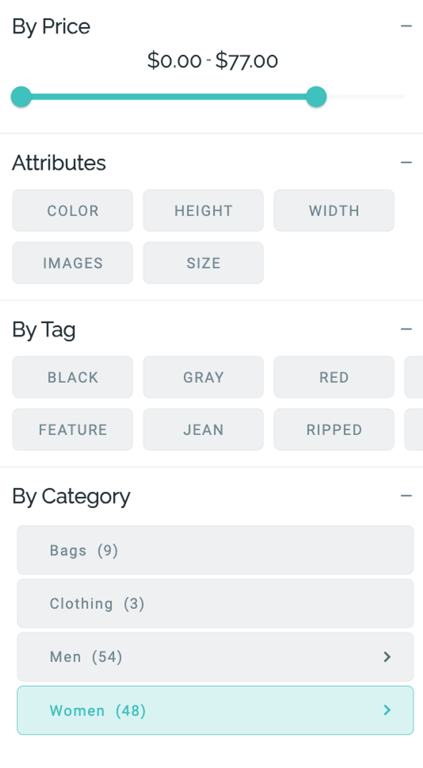
Min & Max values on Filter By Price
Load the min and max prices from your website's database and show them on the Filter By Price screen of the app.
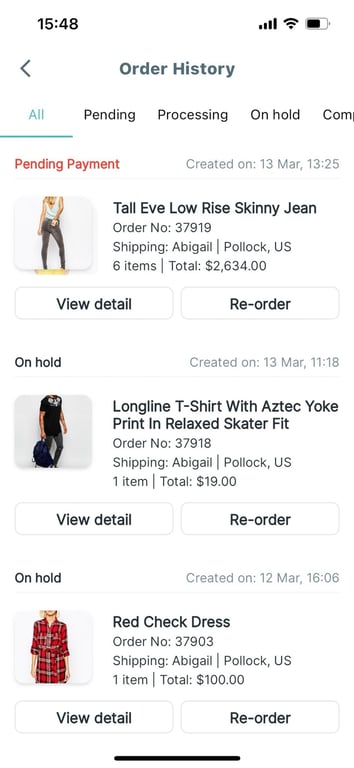
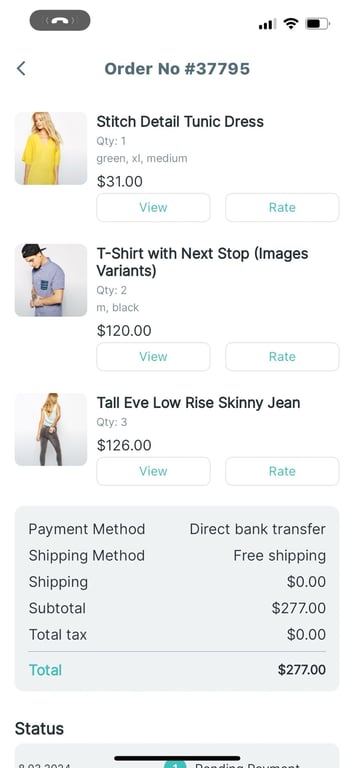
Upgrade UI of Order History and Order Details screens
New elegant UI of:
- Order History screen:
- Order Detail screen:
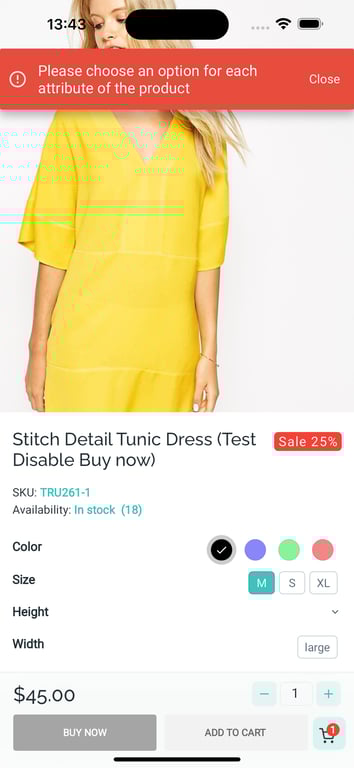
Not auto-select the first attribute in Product Detail screen
- On the Product Details screen, in case you want the attributes not to be selected by default, your customers will select the attributes themselves.
- If customers do not select any attribute and click the Add To Cart or Buy Now buttons, it will show a popup as a reminder.
- To do that, set
"AutoSelectFirstAttribute"=falseand"AlwaysShowBuyButton"=true.
"productDetail": {
    /// Set true by default, the new UX always displays the `Buy now` and `Add
    /// to cart` button on the product detail page. In case the product is out
    /// of stock or not available, it will still be displayed but will be
    /// disabled. If set false, there is only a `Unavailable` or `Out of stock`
    /// button on the product detail page as old UX does.
    "alwaysShowBuyButton": true,
    ...
}
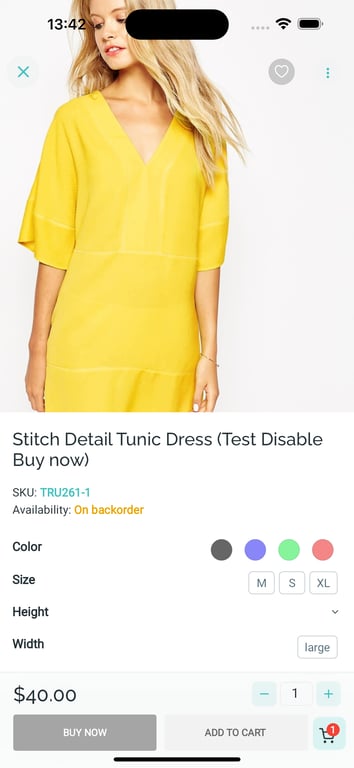
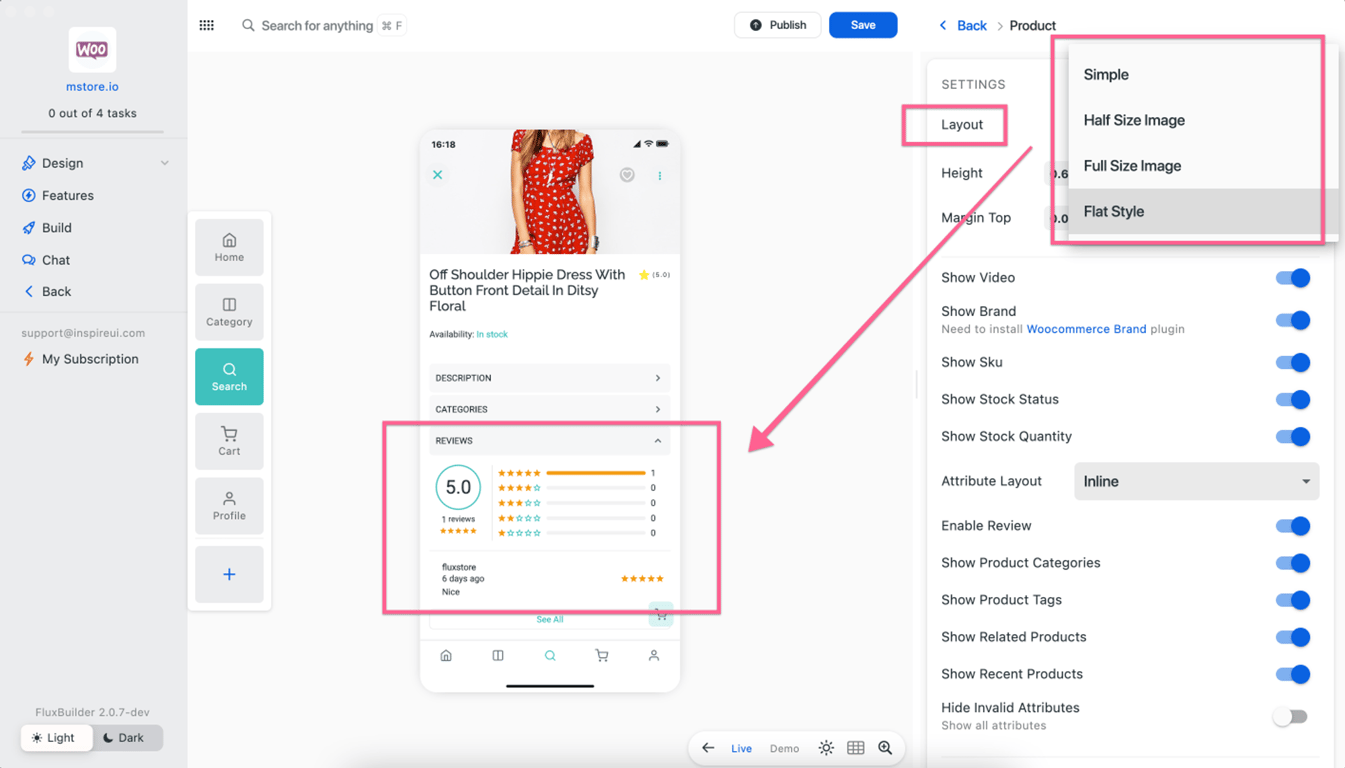
Add Review widget in FullSizeImageType layout
Now all 4 layouts of the Product Details screen show the Reviews widget.
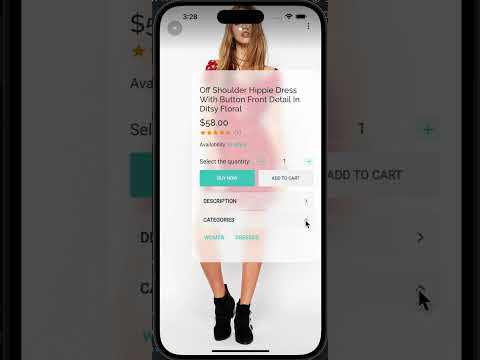
Upgrade the Video Shopping widget
- When selecting Buy Now on a Video, ability to configure to show the Add To Cart dialog or Product Details screen.
- If Enable the
EnableBottomAddToCartoption, it will open the Add To Cart dialog, whereas if Disable it will navigate to the Product details screen. - Video Shopping widget https://youtu.be/e0b8Fk07IYA
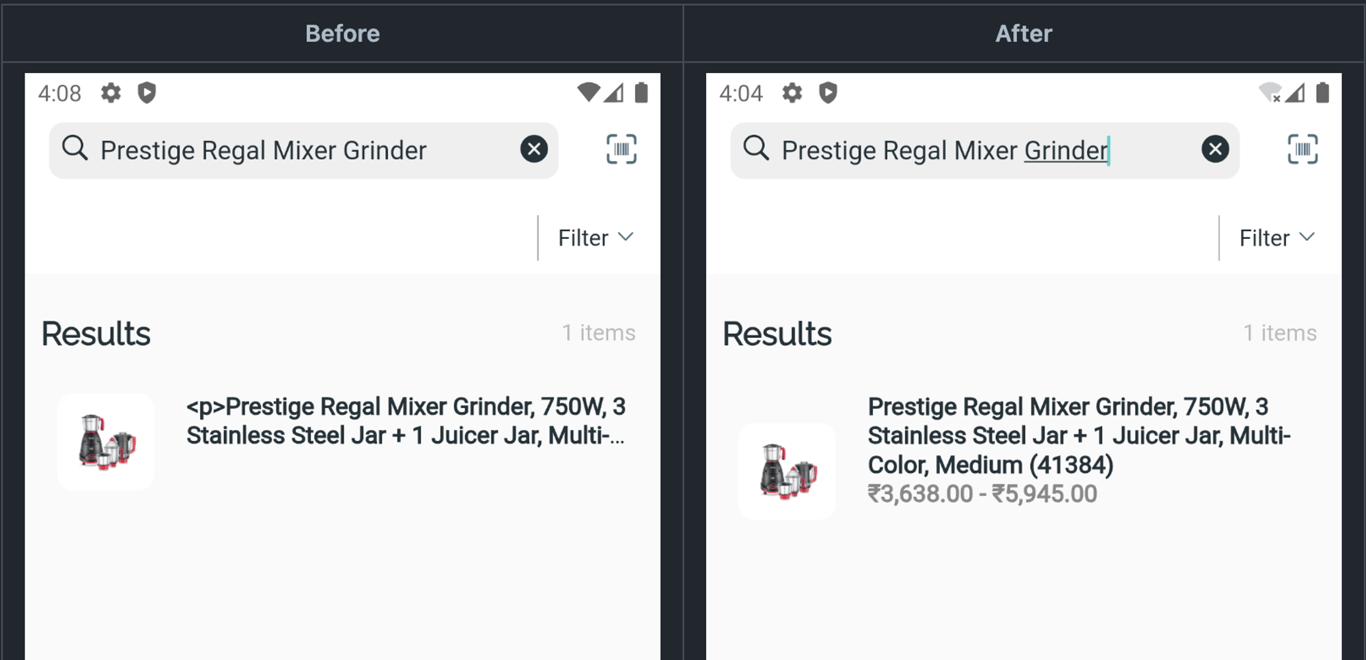
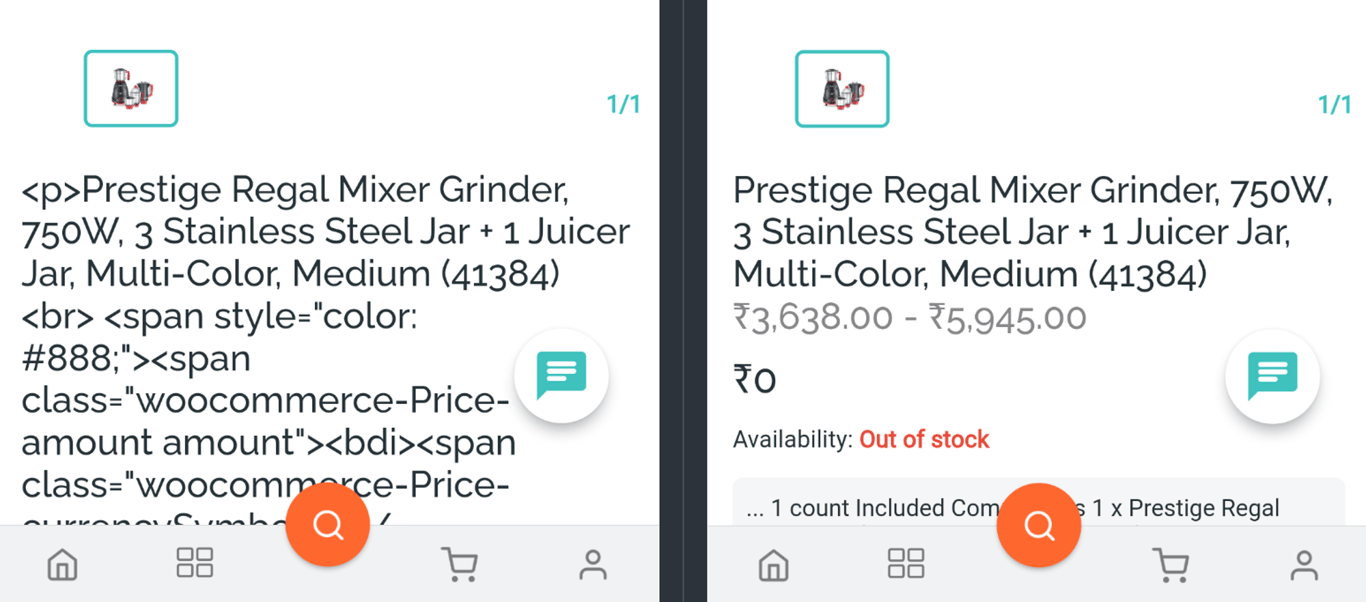
Support HTML in Product Title using Ajax Search Pro plugin
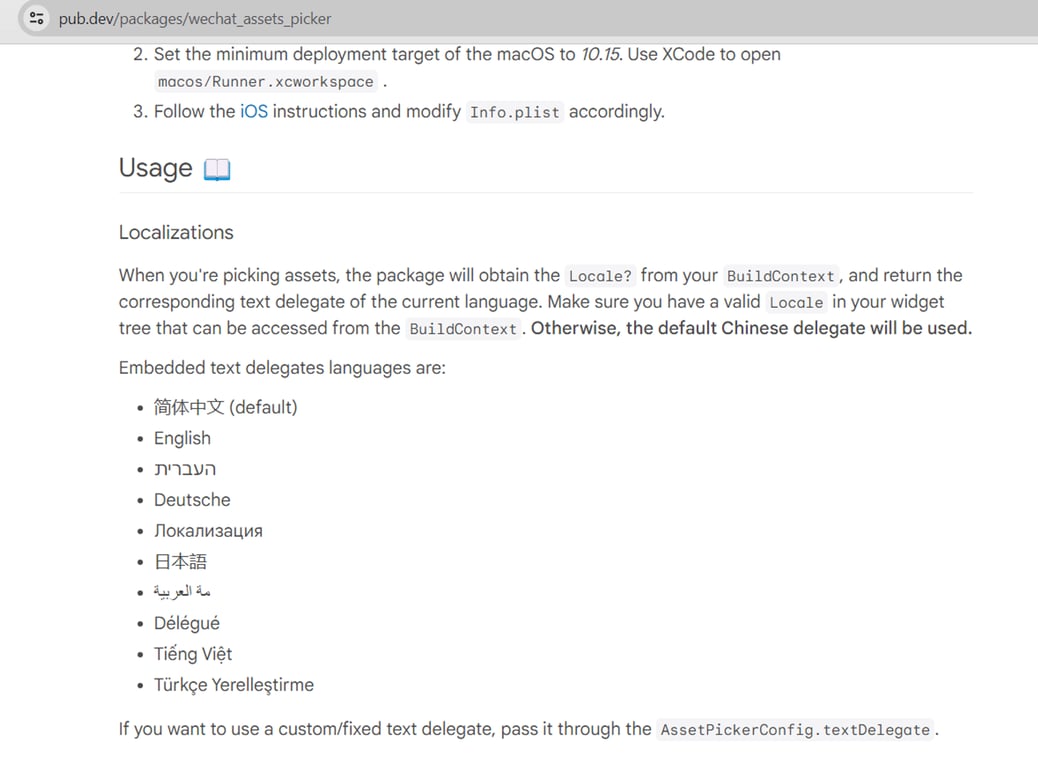
Update missing translations and list of supported languages for ImagePicker
- Add the
showRatingparameter to the Product Details screen - Migrate to flutter_pull_to_refresh
- Refactor the searchProducts method
- Support none-category for Homepage cache
This release contains many fixes
- Fixed: apply single Category Filter for menu in the Product screen
- Fixed and updated audio_service and just_audio versions
- Fixed height when disabling categoryImageMenu
- Fixed: Notification Clicking doesn't open Dynamic Link
- Fixed: show error order page if missing user data
- Fixed: show wholesale sale price
- Fixed: location filter UI
- Fixed: the Share option cannot be hidden when FirebaseDynamicLink is disabled
- Fixed: (NullException) cannot show selection field
- Fixed: show rating and review count
- Fixed: missing onsale background color in product variant
- Fixed: quantity selection, add stock status config and fix buy button
- Fixed: price not updating in HalfSizeImageType and FullSizeImageType Product Layouts
- Fixed: support filter by multi cate and tag for search and vertical
- Fixed: Phone number is not registered
- Fixed: cannot release on Google as recaptcha issue
- Fixed: the minimum quantity of the product is not functioning
- Fixed: error of clicking to open Product Variant in the Wishlist screen when rebuilding the app
- Fixed: show attribute name in encoded HTML
- Fixed: show "Attribute name: Sub attribute name" and "#Tag name" instead of only "Sub attribute name" and "Tag name”
- Fixed: Show product quantity as the length of the current product list instead of the number of child products in the selected category
- Fixed: auto close filter after selecting item on filter screen
- Fixed: hide list category if user filter with multi-cates
- Fixed: color for tag, attribute and category in filter screen
- Fixed: The coupon code opened from banner show loading all the time
- Fixed: no sound while playing video in Instagram widget
- Fixed: not show more button on filter attribute
- Fixed: cannot scroll on the app using Stylus Pen
- Fixed: open app setting if click dont allow button
- Fixed: Images of SubCategories can't not load
- Fixed: Stripe checkout
- Fixed: booking product checkout